Library Learning Goes Online

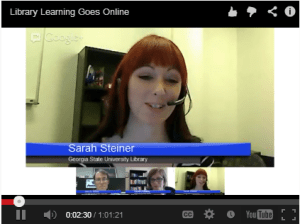
I wrote recently about MOOCs and online learning, so naturally I was interested in the new AL Live webcast, Library Learning Goes Online, and it did not disappoint. The moderator was Sarah Steiner, the Social Work and Virtual Services Librarian at Georgia State University Library, and the speakers were John Shank, Instructional Design Librarian and Associate Director of the Center for Learning and Teaching at Penn State University, and Lauren Pressley, Director for Learning & Outreach at Virginia Tech University Libraries.

Similarities and differences between online and face-to-face (F2F) teaching and learning

Online and F2F are “more similar than different,” said Pressley. In both cases, instructors must establish learning objectives and identify learning outcomes. There are more variables online than F2F, and more design options; Shank warned of “options overload,” noting that this may be more of a challenge for public libraries because they tend to have fewer resources and less expertise in this area. Pressley said that the “intentional stance” required for instructional design of online courses “bleeds over into F2F,” and Shank agreed that “technology starts a discussion.”

Costs and benefits of teaching and learning online

“Communication is on a different scale,” said Shank, meaning the instructor has more  reach, but can lose the intimacy from the F2F environment, as well as other forms of interaction, such as nonverbal communication. Pressley agreed, “Whatever you gain from the online environment, you lose something else.” Being online can provide a sense of isolation or connection; more people may be connected, but the connection is shallower.

Shank also noted that the time investment necessary in order to get deep meaningful engagement is a challenge. Pressley reminded instructors and students alike that “it is a real class! Block out time to do work, interactions, and planning.” She also added another benefit of online learning, which is that it can be a great option for distance learning, and for solving space issues (not enough classrooms, or not enough space in classrooms).

Mere convenience aside, there are real advantages to online learning. Shank observed that the online environment can draw out people who wouldn’t speak up in class, and it serves different styles of learners, especially those who prefer to have time to reflect before responding.

Time investment

Inarguably, there is an additional time investment required for teaching an online class: Pressley listed content creation, upfront prep time, and consideration of instructional design principles. Content can be reused in future classes, but communication is time intensive. Shank noted that transparency increases because students can tell exactly how responsive the instructor is. Likewise, depending on the tools being used, the instructor can see the exact degree of each student’s participation.

Student engagement with the material

Here too, there are similarities between online and F2F instruction. Pressley advised, “Present content in an interesting and useful way; let students interact with you and each other; tie the material to real-world need.” Shank added, “Increase conversations and dialogues” with tools such as chat, realtime polls, and built-in activities. Steiner added that students can be engaged with each other as well as the instructor.

Assessment and active learning

Pressley identified three categories of assessment: course evaluation, ongoing, qualitative assessment during the learning process (formative), and learning outcomes (summative). In her classes, she gets feedback “on the fly” using Google surveys or SurveyMonkey, scavenger hunts, and other methods; strategies will be different depending on whether the course is credit-based or a “one shot” class or workshop.

Shank suggested building feedback into any activity, online or F2F. He also does a learning analysis, examining how much students access course content and how that relates to performance. If students are disengaged and not doing well, he shows them a graph of time spent on class work vs. grade in course (“There is always a statistically significant correlation”).  He strips personal data out, of course, but the exercise also has the effect of showing students that instructors can track their engagement and performance.

MOOCs (Massive Open Online Courses)

Shank identified the “big three” MOOC providers at the moment: Coursera, Udacity, and edX. MOOCs, he said, are “not new technology, but the timing wasn’t right till now.” Given the limited access to and high cost of higher education, MOOCs seem like a perfect solution in terms of the access and cost. Shank predicts, “[MOOCs] are going to evolve, not go away,” and that the interactivity element of them may increase.

Pressley took a MOOC herself, and said that she interacted with the content and her classmates, but not professor. “It’s a pretty good deal, for free,” she said, but asked, “When you pay for higher ed, what are you paying for?” Pressley said that there are things that instructors in higher ed can learn from the MOOC model, but that MOOCs would not replace higher ed institutions entirely; their impact on higher ed is “not the end of days.”

Shank agreed that MOOCs are “part of the landscape.” Technology, he said, has had its impact on other industries such as music and finance; now it is having an impact on education. He asked, “How can we use this platform to show people what we do as librarians?” Parents and incoming students are a prime audience for academic librarians. Shank stated, “Librarians are more important than ever because we live in the information age.” He also mentioned that public libraries could serve as meetup points for students taking MOOCs, so that they can meet in person as well as online, creating a hybrid/blended learning experience.

Troubleshooting new technology

Shank said, “Test it before you do it! Be prepared.” Pressley advised, “Get there early – give yourself a cushion.” When you have a large audience, she said, “Choose less experimental technology,” go for something more simple and reliable,  and have a backup way of communicating the information. Experiment with newer, more complex, or less reliable technology in small groups. Steiner suggested having a backup person available, as well as backup technology, as least while setting up.

Best practices for teaching online

Shank reminded instructors that “learners have little experience, it’s new technology.” There is a learning curve, and patience is required on both sides. Assessment is also crucial; Pressley said, “Ask strategy questions, not skill questions: ‘What was your approach to finding…’ [rather than] ‘What did you use?'” Technology, Shank said, “Gives us more ways to assess, understand, and communicate.” Analytics about students’ work habits and behavior can be useful to instructors.

Changes in the near future

“Consumers are becoming producers,” said Shank, giving the example of citizen journalists. Open educational resources are also growing, as is content curation. Pressley mentioned the competency-based educational movement, as well as personal learning networks, rich informal learning spaces, and MOOCs. Shank spoke about learner analytics, “bits and bytes instead of people with souls.”

Overall, this was an excellent presentation and I’m glad I watched it. Some of the material was familiar from the User Instruction class I took in grad school, and from my own experiences with online learning in that class and others; some of the content was familiar from reading recent articles on the topics of MOOCs and higher education. However, this presentation provides the unique perspective of librarians positioned within higher ed, which makes it especially worthwhile. Click to watch (opens in a new window):
ALLive


Choose Privacy Week

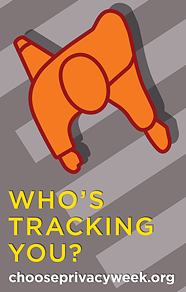
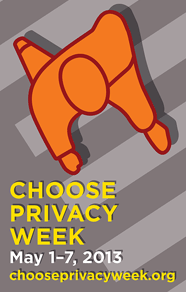
ALA_ChoosePrivacy_186x292-BThis week (May 1-7) is Choose Privacy Week. Today being the 7th, I’m a little late to the game, though I do read articles, blog posts, and infographics about privacy all year round. Two recent examples are Fight for the Future’s great infographic about CISPA, and the EFF’s annual “Who Has Your Back?” report about which companies protect user data from the government.

At ChoosePrivacyWeek.org, ALA has links to a curated collection of videos on the topic of privacy. Visit the Video Gallery to explore; so far I’ve only watched “Facebook Killed the Private Life” featuring Clay Shirky, which at just over four minutes is a good jumping-off point (“Social networks are profoundly changing the definition of what we consider private”). The Choose Privacy Week documentary (see below) is also a good place to start; at 23 minutes, it’s an excellent and thought-provoking overview of the topic, including commentary from Neil Gaiman and Cory Doctorow, as well as many librarians.

By the way, if you’re wondering what the orange shape on the poster is – lamb chop? Video game controller? – it is a birds-eye view of a person walking.

Privacy is such a huge topic, there are many different aspects to it. But watching the documentary, I was reminded of an article I read in the Guardian a while ago, “Why ebooks are a different genre from print.” I have heard enough rhapsodizing about the smell of books vs. soulless electronic devices, but this article puts that argument aside in favor of a few real and important differences between print books and e-books. Author Stuart Kelly writes, “There are two aspects to the ebook that seem to me profoundly to alter the relationship between the reader and the text. With the book, the reader’s relationship to the text is private, and the book is continuous over space, time and reader. Neither of these propositions is necessarily the case with the ebook.” If you’re reading on a Kindle, you’re telling Amazon what you’re buying, what you’re reading, how long you spend on each page, where you stop reading, what you highlight, and where you make notes. Amazon has also shown it has the capability to “disappear” legally purchased books from your device, and also the capability – though I don’t know if they’ve used it yet – to make changes to books you already “own,” like pushing publishers’ corrections to your first edition file.

ALA_ChoosePrivacy_186x292-AThat is only one small example of how our privacy is eroding, sometimes without our awareness, sometimes without our consent. In light of this erosion, the Choose Privacy Week documentary I mentioned above is definitely worth watching. As I watched, I couldn’t help scribbling down quotes:

“Facebook is a conditioning system to teach you to undervalue your privacy…[it] rewards you for foolish disclosure.” -Author Cory Doctorow

“It is not for us to judge why a person wants to know something.” -Librarian Sarah Pritchard, Northwestern University

“Do not put anything on the web, at all, ever, that you would not want anybody, be it your mother, your boss, your boyfriend, your girlfriend, your girlfriend’s mother, to see.” -Author Neil Gaiman

“Privacy is one of the greatest privileges that we have. Privileges, rights – both.”

People who are “in the public eye all the time,” whose private lives are documented in magazines, tabloids, and the internet, who can’t go anywhere without being accosted by paparazzi, reporters, or fans. Fame often comes at the cost of privacy, and yet so many of us put personal information on the internet where it is available to anyone who cares to look. It’s not just “you and a screen,” it’s you and the whole world. So ask yourself: What is your privacy worth?

ChoosePrivacyWeek

MLA Conference, Day One (Wednesday), Part Two

The afternoon sessions at MLA on Wednesday were just as good as the morning sessions. First up after lunch was “Library Services and the Future of the Catalog: Lessons from Recent ILS Upgrades,” with representatives from the Boston Public Library (BPL), the Merrimack Valley Library Consortium (MVLC), UMass Dartmouth, and the Massachusetts Board of Library Commissioners (MBLC); the first three library systems had recently changed from one ILS (Integrated Library System) to another, and the MBLC had helped MVLC and two other Massachusetts library consortia with the search process and transition.

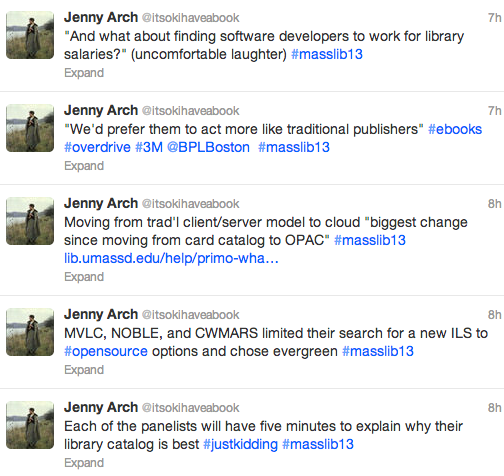
The speakers explained why their libraries wanted to change from one ILS to another and the decision-making process involved in choosing a new ILS; they also spoke about the process of the change and how it affected users and staff, pointed out some of the differences – good and bad – between old and new systems, and talked about the future of library catalogs. They touched on the differences between open source and proprietary systems: with open source, you need more in-house talent (software developers on staff), but you have more control, as well as access to the open source community; proprietary systems require less technical skill from library staff, as fixing bugs and implementing new features are outsourced.

ILStweets1

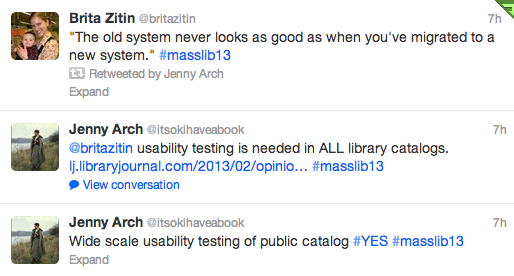
All library systems experienced some growing pains during the change; in some cases, initial training was good, but follow-up training could have been better. “The old system never looks as good as when you’ve migrated to a new system,” one speaker said somewhat ruefully. “It’s always going to be harder than you think,” said the MVLC representative. However, when asked how they felt three months after migrating to the new system, overall everyone seemed satisfied with their new ILSs, though each had a laundry list of wishes, and much of the reporting seemed based on anecdotal evidence rather than formal evaluation of either staff or patron experiences.

ILStweets2Every ILS has usability issues, and usability testing with patrons would likely identify areas in need of improvement for each ILS; developers don’t always develop with real users in mind. (As Aaron Schmidt pointed out in Library Journal, most library catalogs are designed to prioritize the collection, not the people searching the catalog.)

The last session I attended on Wednesday was “Loaning eReaders to the Public: Legal and Strategic Challenges,” where Anne Silvers Lee and Jamie Wilson from the Free Library of Philadelphia and Melissa Andrews from the Boston Public Library spoke about the lessons they learned in the process of developing programs to circulate e-reading devices: the Free Library lent B&N nooks, and the BPL will be lending iPad minis starting next month.

This was a fascinating session that started off with some startling statistics. E-readers, Ann said, are “not a cutting-edge thing anymore”; forty percent of libraries loan e-readers. Why did the Free Library want to lend e-readers? They considered the digital divide (the gap between those who are familiar with technology and those who don’t use it; in Philly, 41% of the population of 1.5 million does not have internet access at home), patron demand, innovation, and transliteracy.

The library obtained a grant to purchase e-readers and hire part-time staff to help train patrons on how to use the devices. They chose nooks because B&N offers institutional accounts for invoicing and batch wifi delivery of new content; they were also aware that Amazon had already sent out at least one cease-and-desist letter for lending Kindles. Jamie referenced copyright experts Mary Minow and Peter Hirtle of LibraryLaw.com and Cornell University, respectively, whose opinions the Free Library sought to determine the legality of their lending program. He summed up their response as “We’ve looked into this, we think it’s all right,” with Hirtle less sure than Minow (who also included a long list of caveats).

ereaders1

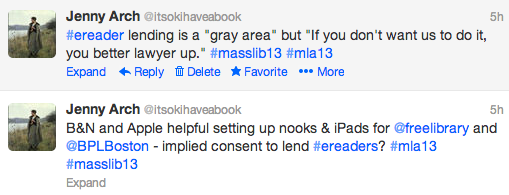
During the Q&A at the end of the session, I suggested that B&N and Apple’s cooperation in helping the libraries set up their devices for lending implied consent, but apparently it’s still a “gray area.” However, Ann said, “If [device manufacturers] don’t want us to do it, [they] better lawyer up.”

ereaders2Jamie explained the Free Library’s system for lending: the program was limited to patrons fifty years of age or older, all of whom had to have a library card and a valid ID. There were steep late fees in place (though fears that the devices would be stolen proved unfounded; none went missing), and all users had to take a training class. All of the nooks circulated from the senior center in the Main Branch, and all were pre-loaded with the same selection of fiction and nonfiction bestsellers and classics. Because they weren’t buying content through a third-party vendor like OverDrive or 3M, they could purchase titles from all “Big 6” publishers.

Results once the program launched were somewhat disappointing, with lower use of the devices than they had anticipated. In response, the library lowered the age requirement for borrowing, expanded the availability to other locations, dropped the training requirement (while providing even more training classes), and eventually repurposed some of the nooks for staff training.
ereaders3

Then, of course, there was the lawsuit: the National Federation for the Blind sued the library because the nooks were not accessible. The lawsuit was resolved, but it stands as a cautionary tale, and the BPL accordingly proceeded with caution when planning their own e-reader lending program. The NFB had sent a letter to the mayor of Boston stating that it was an ADA violation to lend nooks or Kindles; only iPads were appropriately accessible (more than just text-to-speech capability is required for a device to be considered accessible).

The BPL purchased 70 iPad minis with a grant, and worked with Apple to ensure that users’ personal data was protected and that any content a user had added to the device was wiped between checkouts. The iPads are preloaded with 40 high interest titles as well as some apps; they will circulate for two weeks at a time, and patrons will be able to place holds on them through the catalog (though Melissa anticipates long wait times due to their popularity). The iPads will show up in the results list when patrons search the catalog for books that have been preloaded onto the iPads; this is something that the Free Library staff thinks would have boosted circulation of their devices, which only appeared in the catalog if you searched for them by device name.

Overall, this was an informative session. All three speakers were well prepared and articulate, and the learning curve was evident in the changes that the Free Library made to its own lending program as well as how the BPL developed its lending program. As I’ve said before, libraries are all about sharing, and learning from each other’s experiences is one way of doing that. For any library that is considering implementing an e-reader lending program, I’d definitely recommend consulting these folks’ resources.

Next: the Thursday sessions at MLA were also fantastic. Stay tuned for not-so-concise summaries of four more sessions (probably in two parts, probably tomorrow or early next week). The Twitter hashtag war continues, so make sure to check #mla13 and #masslib13 (I was mostly using the latter).

MOOCs and online learning

Massive Open Online Courses (MOOCs) are gaining popularity, prompting much discussion among those involved in higher education. Some champion the spread of knowledge through technology, while others call MOOCs the death knell of higher education as we know it, and still others point out that the MOOC experience cannot replace the traditional college experience. There are now a number of companies and institutions that offer a platform for MOOCs: there’s Coursera, edX (founded by MIT and Harvard), Udemy, Stanford Engineering Everywhere (SEE), and many others.

The Boston Globe recently profiled Lexington “writer and entrepreneur” Jonathan Haber, who has set himself the goal of earning “a one-year MOOC BA,” taking a range of classes on a variety of platforms in 2013 – certainly an interesting way of achieving firsthand knowledge on the issue. I can’t speak (or write) with such first-hand authority, having never taken a MOOC myself, but I did take some online and “blended” classes (some in-person meetings, some online lectures and discussions) in grad school, so I will write a little bit about that.

Technical difficultiesTeachers face a learning curve when moving from a classroom environment to an online environment. On one hand, there is new software to learn, which can create glitches for even the savviest professor. Course management software is idiosyncratic, and teachers may need to become familiar with other software programs (like Camtasia for recording lectures) in addition to course management software like Blackboard or Moodle.

On the other hand, techniques that work in the classroom don’t always transfer well to an online environment, and it can be trial-and-error to discover what types of assignments work well online. The first semester or two can be rough as professors troubleshoot new tools and figure out what works and what doesn’t; students can help by recognizing the learning curve teachers face (many put in extraordinary amounts of extra time), and by doing their best to stay with the course schedule, even if there aren’t physical meetings to attend.

Synchronous or asynchronous? Online courses may be synchronous – everyone “present” at the same time – or asynchronous, where the professor posts a lecture and the students can watch it whenever is convenient (usually within a specified time frame). Asynchronous courses give students flexibility and control over not just where they learn (at home instead of in a classroom, for example), but when (so night owls and early birds are both happy).

Communication: If the students don’t see the professor on a regular basis in the classroom, they must have some way to communicate. Professors should establish communication guidelines/ground rules at the outset of the class, letting students know when they will be available and how they can be reached. I have taken classes with professors who would respond to an e-mail in minutes; professors who were on Skype and Gchat and Twitter; professors who held traditional office hours and could be reached by phone.

Communication is of paramount importance for several reasons: there may be a technological glitch that the teacher is unaware of (inaudible audio file, broken link); students might need clarification on assignment instructions; students will want feedback on their work. Ideally, there will be at least two channels of communication – and professors should remember that not every student is on facebook or wants to communicate that way.

Discussion boards: Online discussion boards are now part of many traditional classes as well as online ones. As a student, I came to appreciate discussion boards for a few reasons. The act of writing is more considered than the act of speaking; writing responses to prompts reinforced my own learning and increased my grasp of the material. Reading others’ comments was valuable as well, because written comments were more thoughtful and clear than spoken ones – people weren’t just saying the first thing that came to mind, as they do in a classroom. The interaction between students on the discussion board was impressive as well: people responded to each other’s posts and sometimes cited outside sources, providing links to extra materials. In a “blended” class, discussions carried over from the online forum into the classroom.

Swash_ornament_zeimusu

In many ways, my experience with online learning is vastly different from that of students who take MOOCs. I was in classes with 20-30 other students, and we received as much feedback on our work as we would have in a traditional classroom setting. But there are similarities too: as with most education, the student is at least partially accountable for his or her own learning, and to a great degree you get out of it what you put into it. If you do the reading, attend (or listen to) the lectures, and participate in discussions (in person or online), you’ll learn. Good teachers will find ways to adapt what works in the classroom to what works online. The success of MOOCs so far (and of TED talks) prove that there is an untapped desire to learn in many people, and that’s something to celebrate and encourage.

Edited to add: A.J. Jacobs, who I can’t help but think of as a stuntman of the author world (experimenting with certain ways of life and then writing about them, e.g. The Year of Living Biblically), has written a piece for the Times opinion pages called “Two Cheers for Web U!” Despite the enthusiastic title, he points out a few drawbacks to MOOCs, and predicts that, while they offer benefits to some, they won’t ever replace brick-and-mortar colleges. –4/21/13

The Great Migration

The Amazon acquisition of Goodreads came right on the heels of another major change that I didn’t blog about here (though I did do plenty of reading about it): Google is shutting down its RSS tool, Google Reader, on July 1 of this year. This news sent its millions (but not enough millions, apparently) of loyal users in search of alternatives.

Google_Reader_logo_GalliganFor those who don’t use any RSS feed: how they work is that you add subscriptions – to blogs, news sites, or webcomics, for example – and all new content from those sites is collected in one place. It’s a great way of keeping track of content from many places on the web, especially if they post content at irregular intervals; by highlighting new content when it appears, the RSS feed ensures that none of the sites you want to follow disappear from your radar.

So, which tool to use to replace Google Reader? I don’t have a smartphone, but I wanted something that I could access from my home computer, my work computer, and my tablet; I wanted something browser-based, not an app or plugin I’d have to install. Lifehacker’s March 13 article about Google Reader alternatives is worthwhile if you’re still trying to decide which one to switch to, as is the March 14 article from Extreme Tech.

the-old-reader-logoIf I’d had a smartphone, I might have gone with Feedly (my roommate’s choice), and I’m not ruling out changing to NewsBlur (Cory Doctorow’s choice) in the future, but for now I’ve switched to The Old Reader. It did feel a bit like going back in time, and because so many others were switching over at the same time, it took a few days(!) to import the OPML file that I had exported from Google Reader, but it’s been working well so far.

Uploading my exported Goodreads data to LibraryThing took a little time as well, but not as long as I expected, and I was very pleased with the outcome; all my Goodreads “shelves” became tags in LibraryThing (e.g. young adult, science, cooking, magic, to-read). I’m still getting used to navigating around the LT interface, as I’ve only really used it for cataloging before, but I’ve had no major problems so far, and the documentation is very good, so I can often find the answers to my questions.

The LT staff, including Tim Spalding, are active and responsive members of the site. The “LibraryThing: How to Succeed in an Amazon/Goodreads World” thread has been so active that it has spawned several additional topic threads. Barbara Fister has also written a good overview about the “culture clash” that occurred when a wave of Goodreads users joined LibraryThing (“culture shock: when Goodreads and LibraryThing collide“).

LT_logoIf you’re thinking of becoming a member of LT, or if you’re just curious to learn more about what it is, you can’t do better than this collaborative piece from LT staff and members, “What Makes LibraryThing LibraryThing?” They address the difference between users and customers (LT is free only up to 200 books; after that, you’re required to pay, but the amount is “suggested” and you can get either annual or lifetime membership at a very reasonable price): “We have no ‘users.’ If you’re not the customer, you’re the product. If a social website can’t support itself on customers and straightforward products, it’ll eventually sell out what you gave it—your data, your friends, and the community itself….We want what paying creates—customers, with loyalty and rights—not “users.'”

The “user vs. customer” difference is becoming more apparent as platforms launch and close, are bought and sold. As Alex Kantrowitz noted in an article for Forbes (“Google Reader Shutdown a Sobering Reminder That ‘Our’ Technology Isn’t Ours,” March 13), “The death of Google Reader reveals a problem of the modern Internet that many of us likely have in the back of our heads but are afraid to let surface: We are all participants in a user driven Internet, but we are still just the users, nothing more. No matter how much work we put in to optimize our online presences, our tools and our experiences, we are still at the mercy of big companies controlling the platforms we operate on.”

This is something to consider seriously: the major social media sites (e.g. Facebook, Twitter) are free, and users produce the content, signing away more rights than they’re aware of by agreeing to the various sites’ Terms & Conditions. Though everyone likes free, there are some things worth paying for, and having a little more control in the content you produce, and a little more confidence that the platform on which you’re creating it won’t be unceremoniously pulled out from under you, is sometimes worth it. (Not to say, of course, that just because you pay for something, it will always be reliable, TIME WARNER. Companies go under, or they’re sold, or they change.)

demandprogressSpeaking of Terms & Conditions, the Computer Fraud and Abuse Act (CFAA) makes it extremely perilous to violate T&C (or Terms of Service); according to the Department of Justice, it can even be a felony. Read more and find out how you can take action to protect the internet as we know it.

This just in: Academic publisher Elsevier just acquired Mendeley, to the dismay of many of Mendeley’s users. Elsevier is notoriously expensive and anti-open access, whereas Mendeley is (was?) a free research and reference management tool. Many users will probably be jumping ship to Zotero, a similar service.

Amazon buys Goodreads

I experienced that sinking feeling as soon as I saw the link, even before I clicked on it: http://techcrunch.com/2013/03/28/amazon-acquires-social-reading-site-goodreads/. The full headline from Tech Crunch is “Amazon Acquires Social Reading Site Goodreads, Which Gives the Company A Social Advantage Over Apple.”

My immediate and unconsidered reaction is that this can only be bad news. Goodreads is a site I have been using since 2007: the user experience is excellent, the communication from the company is of high quality and transparency, and they seem trustworthy and reliable in the way that they handle their users’ information (unlike, say, facebook, which has made a number of massive missteps where users’ private information is concerned).

Amazon, on the other hand, mines its users’ data voraciously: they know not just what you’ve bought, but what you’ve considered buying, and what other people who bought the thing you’re looking at bought. If you have a Kindle, they know not just what you’re reading, but what you’ve highlighted, where you’ve made notes and comments, where you’ve stopped reading, where you’ve lingered – far more than I, for one, really want them to know. (Part of the reason I don’t have a Kindle.)

In a PaidContent article, “Amazon acquires book-based social network Goodreads,” Laura Hazard Owen writes, “Goodreads has served as a fairly “neutral” hub for readers until now — a place where publishers and authors can market and promote their books without being tied to a specific retailer. Until 2012, Goodreads sourced all of its book data from Amazon, but it then decided that the company’s API had become too restrictive and switched its data provider to the book wholesaler Ingram. “Our goal is to be an open place for all readers to discover and buy books from all retailers, both online and offline,” Goodreads told me at the time of the switch. While being an “open place for all readers” may still be Goodreads’ goal, it’s now clearly tied to promoting books for sale on Amazon.”

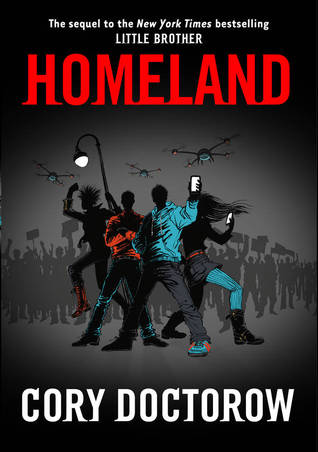
Below is a screenshot I took today, 3/28/13. You can see the page for Homeland by Cory Doctorow; there’s the cover image, a blurb (usually provided by the publisher), the cataloging data (publisher, publication year, language, format, etc.), and below that, my review, because I was logged in at the time I took the screenshot and I’ve read and reviewed Homeland (I recommend it).


goodreads_getacopy

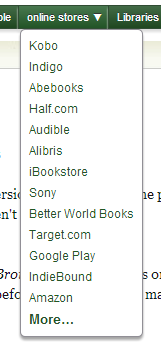
Between the book info and my review, it says “Get a copy” and there are three buttons. The first one goes to Barnes & Noble; the third one goes to WorldCat, so you can find the book in a library near you, wherever you are in the world (very cool!); the middle one, “online stores,” has a drop-down menu, which includes the following retailers in this order: Kobo, Indigo, Abebooks, Half.com, Audible, Alibris, iBookstore, Sony, Better World Books, Target.com, Google Play, IndieBound, and last of all, Amazon. (If you click “more” after that, it takes you to a page where you can compare booksellers’ prices for used and new editions.)

goodreads_dropdown


I don’t know what else will change once Amazon is in charge of Goodreads, but I bet Amazon moves up that list from the bottom. Will Goodreads even continue linking to other booksellers? I hope so.

There is an open letter on Goodreads now from the founder, Otis Chandler, rhapsodizing about bringing Goodreads to the Kindle. There’s a press release on Amazon where VP of Kindle content Russ Grandinetti talks about Goodreads and Amazon’s “share[d] passion for reinventing reading.” All of it makes me more wary than excited, but we’ll see what happens.  Meanwhile, I’ll be backing up my data more religiously than usual (if you have an account, you can export all the content you’ve added to Goodreads from the import/export page).

Calling all researchers: timeline of the end of repair

During the major blizzard in February (dubbed Nemo), my digital camera stopped working. When I turned it on, the lens would extend, then retract; it would do this a few times and then give a error message to turn it off and back on again. This did not solve the problem, so I began wondering if I could get it repaired, or if I would have to replace it. This repair-or-replace question made me think of a timeline I had seen, which I will describe:

Physical description: It was a black-and-white timeline (though it could originally have been in color); I had it on an 8.5×11″ paper, which I had to blow up onto multiple pages in order to see all the small print properly.

Content: I’m not sure what the earliest year represented was, but the timeline extended through the present and into the future. It showed when repair stopped being a viable option for everyday objects like clothes, shoes, toasters, and radios; when built-in obsolescence, or planned obsolescence, made it cheaper to buy a new item to replace the old one, or simply impossible to repair the old item.

Question3I wanted to find this timeline again. I started with a Google search, using a variety of keywords (repair, replace, timeline, obsolescence/obsolete, chart, technology, etc.), and then switched to a Google image search. I couldn’t find it, so I looked through my grad school notebooks, thinking maybe it had been a handout from one of my classes. It wasn’t there, so I reached out to grad school friends and professors, none of whom specifically remembered what I was trying to describe (though some said it sounded cool), or could help me find it.

Next, I reached out to the Swiss Army Librarian, an ace reference librarian in Chelmsford, MA. He spent a generous amount of time helping me try to dig up the timeline, consulting print and online materials, but we still haven’t found it. However, we found a number of other cool resources along the way:

  • the Consumer Reports Repair or Replace Timeline access to the timeline itself requires a subscription to CR, but you may well have access through your local public library, as many libraries purchase subscriptions. (If you happen to live in Arlington, MA, click here.)
  • an article from The Economist by Tim Hindle called “Planned Obsolesence” from March 23, 2009
  • the book Made to Break: technology and obsolescence in America by Giles Slade, which didn’t have the timeline I was thinking of, but it makes interesting reading. (It will probably make you angry.)
  • a very long piece from Adbusters by Micah White called “Consumer Society is Made to Break” from October 20, 2008, which includes a clip of (and link to) a short film called The Story of Stuff, and a reproduction of Bernard London’s 1932 pamphlet entitled “Ending the Depression Through Planned Obsolescence,” which contains the following rather incendiary proposal:

“I would have the Government assign a lease of life to shoes and homes and machines, to all products of manufacture, mining and agriculture, when they are first created, and they would be sold and used within the term of their existence definitely known by the consumer. After the allotted time had expired, these things would be legally “dead” and would be controlled by the duly appointed governmental agency and destroyed if there is widespread unemployment. New products would constantly be pouring forth from the factories and marketplaces, to take the place of the obsolete, and the wheels of industry would be kept going and employment regularized and assured for the masses.”

For those who are now fascinated and/or infuriated by the whole concept planned obsolescence thing: if you research further and find that chart, please let me know!

Cory Doctorow at the Harvard Bookstore (or, Cory Doctorow gave me a high five!)

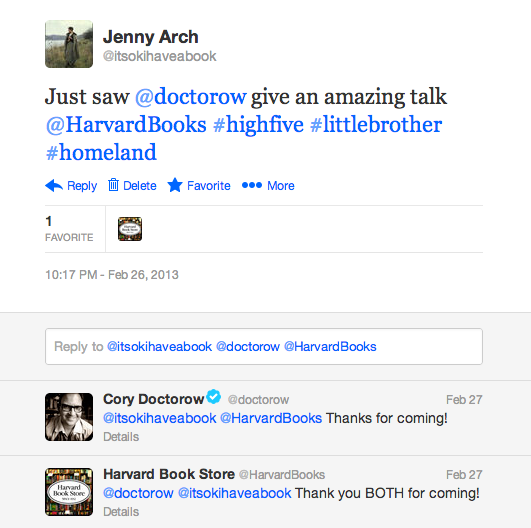
20130304_twitter_repliesThe first thing I noticed, looking around at the other audience members before the event began, was that there were more men in the audience than women. If you have ever book to an author event before, you’ll realize this is unusual. But of course, Cory Doctorow isn’t just an author; he’s also an activist, the co-editor of Boing Boingand an all-around nerd hero (see xkcd comics featuring him here and here). Plus, the Harvard Bookstore is a stone’s throw from Harvard and just two stops from MIT on the red line.

Doctorow started off by complimenting the Harvard Bookstore as “one of the most awesome-sauce dispensaries in the northeast,” and saying that he wasn’t actually going to read from his new book, Homeland; there was an audio clip of him reading online (Internet Archive), and there were other things to talk about.

homeland_doctorowFirst, he outlined the case of Robbins vs. Lower Merion School District (PA), wherein the school equipped its students’ laptops with spyware and took pictures of the students in their rooms at home, unbeknownst to students or their parents. The school denied wrongdoing.

Next, Doctorow talked about the German Chaos Computer Club’s (CCC) discovery and cracking of government spyware, which was not only illegal but also, apparently, dangerously easy to hack.

Then there was the case of spyware on rent-to-own laptops. Allegedly, the spyware was installed in order to prevent theft – one of the same reasons there was spyware on the students’ laptops in Lower Merion – but of course it was used more nefariously than that.

Next, Doctorow moved on to those long, impenetrable Terms of Service we all sign, which he called “weird” and “totally objectionable.” Signing a contract with an employer is one thing, he said, but since when have consumers signed contracts with manufacturers?

Now, of course, it’s almost impossible not to. Do you use facebook? iTunes? Online banking? Twitter or Tumblr? Then you might have a vague memory of scrolling through a vast amount of fine print to get to that “I Agree” button so that you can use the service in question. (Ed Bayley at the Electronic Frontier Foundation proposes that the buttons should read “I Agree” and “I Have No Idea What This Says.” Read the white paper, “The Clicks That Bind.”)

We might all skim and disregard the Terms of Service or Terms & Conditions, but under the 1998 Digital Millennium Copyright Act (DCMA), breaking ToS/T&C “isn’t a little illegal, it’s a lot illegal” (Doctorow’s words, not the legislation).

The scary part is that even though most people don’t read before agreeing, it’s still a legally binding document (though there is some question about the enforceability), and breaking the agreement is a felony under the Computer Fraud and Abuse Act (CFAA). After Aaron Swartz’s suicide, two years after being charged under the CFAA, Rep. Zoe Lofgren (D-CA) introduced “Aaron’s Law,” which would amend it.

Doctorow then segued into speaking about the late Aaron Swartz, computer programmer and activist; Aaron was involved with the development of RSS, the Creative Commons, and reddit (he also wrote an afterword for Homeland). By now, most will be familiar with the JSTOR debacle, but before that, Aaron was involved with an attempt to liberate U.S. legal documents from the PACER (Public Access to Court Electronic Records) database. For a relatively short overview of that case, see the New York Times article from February 2009; for more in-depth (and fascinating) explanations, check out Steve Schultze’s article (February 2011) and Tim Lee’s piece on Ars Technica (February 2013).

Lee points out, “The documents in PACER—motions, legal briefs, scheduling orders, and the like—are public records. Most of these documents are free of copyright restrictions, yet the courts charge hefty fees for access” (reminiscent of the way that government (i.e. taxpayer)-funded science research ends up behind paywalls). What Aaron did was help Schultze with the code to download a high volume of documents from PACER during a free trial; with those documents, RECAP (“turning PACER around”) was born. RECAP is still going strong.

Aaron was also involved in leading a grassroots campaign to fight the Stop Online Piracy Act (SOPA). The bill was defeated when, as Doctorow put it, “Congress realized that as hard as it is to get reelected without campaign finance, it is really hard to get reelected without votes.”

Finally, there was the JSTOR case. JSTOR is a database that contains a tremendous volume of research, much of which was funded directly or indirectly by the federal government. However, this research resides behind a paywall. Aaron had access through MIT, and downloaded a vast quantity of articles. The government cracked down, with federal agents charging Aaron under the CFAA. Two years later, facing jail (“You’re gonna put me in jail for 35 years for checking too many books out of the library?”), and seeing no other way out, Aaron committed suicide.

Doctorow emphasized the importance Aaron’s cause: that people have the right to access information, whether or not they happen to be affiliated with an institution of higher education. “We never know where the next great thing is going to come from,” he said. “This isn’t GOING to be a matter of life and death, it IS a matter of life and death….This is the beginning of the future.”

Doctorow referred to computers and the internet as “the nervous system of our world. The world is made of computers…We put our bodies in computers [e.g. cars]…we put computers in our bodies [e.g. headphones, medical equipment]….We’ve gotta get this right….And it matters. It matters a lot.” He is concerned, to say the least, about regulating this technology and making sure it is secure. (A recent article about NASA highlights the danger of collecting personal data and failing to protect is closely.) Doctorow said, “I’m not interested in how something succeeds, I’m interested in how it fails.” His sincere and urgent concern doesn’t prevent him from using colorful, humorous language to make his case: “We regulate them like…a fax machine attached to a waffle iron.”

It can all seem like an overwhelming problem, too large to tackle, too impossible to change. But the campaigns against SOPA (and PIPA) were powerful; they proved that people do care about their rights, and about the worst case scenario consequences un-thought-out legislation can have on the internet and other technology. There has been an outpouring of support for Aaron’s cause since his suicide (he also had strong supporters before his death). The open access (OA) movement is gaining power in higher education, especially as journal prices continue to skyrocket and become unaffordable for even the Harvard Libraries. And awareness is growing as consumers begin to wonder who really owns the content they produce (on facebook, twitter, etc.) and the digital products they buy (or are they really only licensing?). One thing you can do, Doctorow said, is “refuse to use technology that takes away your freedom.”

littlebrotherOther gems from the evening:

“Information doesn’t want to be free. If anything it wants us to stop anthropomorphizing it.

Referring to smartphones: “A police tracking device that happens to make phone calls.”

“Don’t talk to cops without a lawyer present.”

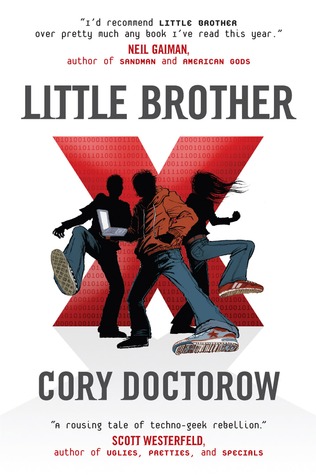
After the energetic and inspiring talk, Doctorow stayed around to sign books. I hadn’t read Homeland yet, but I read its prequel, Little Brother, and I told him that I’d recommended it to many people in my capacity as a librarian…at which point he gave me a high five.

Librarian by Name

This past summer, Amy Frazier wrote a post on the Hack Library School blog called “Librarian by Name, Geek by Nature.” The post itself deals with the idea of what is taught/learned in Library and Information Science (LIS) programs (a.k.a. library school), and what isn’t. Her article focused on what isn’t taught – what we don’t learn, and what we wish we did.

I rarely read the comments on any blog post or article, but the comments on this one are well worth reading; it’s a real conversation. People weigh in about the importance (or not) of coding skills and other IT skills; other “wishlist” items include more courses on project management, teaching, and customer service.

The desire to learn, not just in school but throughout life, is somewhat characteristic of librarians. One theme that is repeated throughout the comments is that library students and librarians would like to learn more technical skills and coding languages, but the course offerings in most programs are insufficient.

Like many of the participants in the discussion, I went to Simmons, where the only required technology course was Technology for Information Professionals. I lucked out (i.e., fought my way in) and took this class with Michael Leach, who gave us both a conceptual background and some hard skills. Linda Braun’s Web Development and Information Architecture course, though, was the one that made me excited about technology and coding and gave me confidence in the skills I had learned in her class, and in my ability to learn more.

However, I spend a lot of time with software developers – full-time coders  – and the odd technology librarian, and my knowledge of HTML/CSS/PHP pales to nothing next to theirs. (They write in a variety of languages including PHP, JavaScript, C++, Python, Ruby on Rails, and others.) As Andromeda Yelton wrote, “We can always find people who make us feel inadequate as coders. Sometimes it’s genuinely because they’ve forgotten more code than we’re ever likely to know, but most of the time? They know things we don’t because code is big. No one knows all of it.”

Not every librarian needs to be a coding expert, but if the discussion over on Hack Library School is any indication, most want to learn more – or at least have enough of an understanding to communicate with those who do it full-time. At the very least, librarians should be a few steps ahead of patrons in terms of tech-savviness.


Goodreads shelves

[Note: if you don’t use Goodreads, and never plan to, there is zero need to read this post. Scroll down to read about Banned Books Week, The Perks of Being A Wallflower, and other things instead.]

I’ve been using Goodreads, a social networking site for readers, since 2007. I started using it as a way to keep track of books I’d read, as well as to keep an actual (as opposed to mental) “to-read” list. I’m still using it that way, and now I have a personal database with five years of data that I can consult anytime someone needs a recommendation.

Not only can I sort books by self-created categories (“shelves”), such as young adult, mystery, history, or science, I can also look back on my own ratings and reviews, and see friends’ reviews as well. Friends’ reviews count for a lot: research has shown that a recommendation from a friend is likely to be more influential than a professional review, a bookstore or library display, or an auto-generated Amazon suggestion.

Overall, Goodreads’ usability and user experience (how easy and how pleasant it is to use the site) are pretty top-notch. The only problems I’ve ever had are (1) when the site is getting too much traffic and I’m not able to access it for a few minutes; this message is accompanied by an elegant line drawing of a woman sitting in a chair reading a book, and (2) creating a fourth permanent shelf for “partially-read” books, in addition to the three automatic shelves: read, currently-reading, and to-read.

This is such a small thing, but I’ve had conversations with other Goodreads users, and it’s come up for most of us. Though a book can be on as many of your self-created shelves as you want, it must also be on one – and only one – of the three original shelves. But what if a book is neither read, currently-reading, or to-read? What if you read the first few chapters and put it down, never to return? (There’s no guilt in that.) Many people have created shelves for these books, such as “partially-read,” “abandoned,” or “unfinished,” but the book still had to be on one of the original three.

This is no longer the case, I’m glad to report. I wrote to Goodreads about it, and a Customer Care Representative got back to me overnight to inform me that I could make my partially-read shelf “exclusive” by going to the Edit Shelves page and checking a box. Which I did. And it worked. I’m not sure how long that’s been an option – it wasn’t in 2007, I don’t think, but I could be wrong – but it is now.

So, big points to Goodreads for creating a great site and being responsive to its users. This is how it’s done.