MLA Conference 2014, Day One (Wednesday), Part One

It’s that time again! This year, the Massachusetts Library Association conference is in Worcester, and once again the lovely and gracious Friends of the Library enabled some of our library staff (myself included) to attend. Here’s my round-up of the first three sessions I went to today, with more to come. Several conference-goers are also on Twitter (#masslib14).

Brand New You: How Libraries Use Branding to Establish Relevance and Engage Users

Anna Popp from the Massachusetts Library System presented on MLS’ experience developing their brand with Walter Briggs of Briggs Advertising. Popp convened a task force and established a clear decision-making protocol (essential, according to Briggs). Popp and Briggs explained that an organization’s brand is evolutionary, not visionary; it’s not the same as its vision or mission statement (‘it’s not what you aim to be, it’s what you are’).

MLS logoThe process involved brainstorming everything about the organization, then crossing out everything that wasn’t unique, with the goal of distilling it down to 3-5 words or phrases – the “brand mantra.” The brand mantra is an internal tool, and is not the same thing as a tagline (e.g., Nike’s brand mantra is “Authentic Athletic Performance,” not “Just Do It.”) MLS came up with “Uniting, Empowering, Library Enhancement.” The brand mantra is “the most important deliverable” from the branding process, more important even than the logo (at left). The logo’s job is not to show or tell what an organization does.

The tagline should be “evocative, inspiring, brief, lyrical” and have “integrity.” The (awesome) MLS tagline is “Stronger together,” which perfectly suits an organization dedicated to building a statewide community of libraries, empowering those libraries, and championing resource sharing.

Briggs finished the presentation by sharing some of his past work. I especially loved the Patten Free Library tagline, “More than you’ll ever know,” and the tangram-like logos (below) for the Curtis Memorial Library (both libraries are in Maine).


CurtisMemorialLibrary logoCurtisMemorialTeenCurtisMemorialKids


The takeaways from this session included: (1) Recognize what people bring to the table, (2) Establish role clarity – who will have an advisory role, who will have a decision-making role?, (3) Let people do their jobs, help when necessary, (4) Prepare to learn something about yourself, (5) Plan ahead, but be prepared for eventualities and opportunities. It may be hard to prove the ROI on a logo, but Popp mentioned the idea of “mindshare”: “in marketing, repetition wins.” Establish your relevance and constantly reaffirm it.

An Agenda for Information Activism: Internet Freedom and Press Freedom Today

Kevin Gallagher stepped up here in place of the original presenter, Josh Stearns, formerly of Free Press. Gallagher clearly knew his stuff, particularly the threat that government mass surveillance poses to journalists and society at large, and he did a good job on short notice. He wasn’t the most comfortable speaker, and his presentation jumped around a little bit; the audience wasn’t all familiar with some of the terms he used or the services he referenced. The presentation had no handouts or visual component (other than the trailer for the upcoming Aaron Schwartz documentary, The Internet’s Own Boy). However, privacy is something librarians care deeply about, and this program took a step toward convincing us all to do more research for ourselves, and think about what we can offer patrons, both in terms of tools and education. Here are a few points and links from the session (thanks also to Alison Macrina of Watertown Free Public Library):

  • When the government undermines and weakens Internet security standards for the purposes of surveillance and data-gathering, it makes us all less safe, not more.
  • There are library privacy laws in 48 states and the District of Columbia. Patron privacy and confidentiality is essential for the free pursuit of knowledge.
  • If the government can collect metadata on journalists’ communications, that exposes journalists’ sources, whose confidentiality should be protected.
  • Read the full text of the Guerilla Open Access Manifesto by Aaron Schwartz on the Internet Archive.
  • “There is already a war” against whistleblowers, journalists, and activists (examples: Julian Assange, Jeremy Hammond, Edward Snowden, Barrett Brown, Jim Risen).
  • “We need a new Church Committee.”
  • Government agencies and private companies are collecting personal data and metadata. Be aware of what personal data private companies are collecting, and what permissions you are giving when you use services like facebook. See Terms of Service; Didn’t Read.
  • Use search engines that value privacy, like DuckDuckGo, or use plugins like Ghostery or services like Disconnect.me. Install Tails, an operating system that lets you use the Internet anonymously via TOR.
  • What can we (in libraries) do? Use more privacy and security tools (like https everywhere from the EFF). Use free and open software instead of proprietary software (“There’s a free and open alternative to everything”). Make sure patron privacy policies are up to date, and make sure we aren’t collecting any more patron information than necessary. If libraries are receiving federal funds that force compliance with CIPA, make sure you aren’t filtering any more than you have to – or, if possible, don’t accept the strings-attached funds. Host a “crypto party.” Support the USA Freedom Act, make FOIA requests. Remember the Library Bill of Rights.

How We Doin’?: Public Libraries Using LibSat to Gather Patron Feedback

The Los Angeles Public Library uses LibStat.

The Massachusetts Board of Library Commissioners (MBLC) is providing LibSat from Counting Opinions to all Massachusetts libraries for a three-year term. All library directors have the login information, and can pass it on to any of their staff. From what we saw in this session, LibSat is a pretty incredible tool to gather continuous patron feedback about their library experience; data nerds in the room were audibly delighted.

This session began with the proverb “A guest sees more in an hour than the host sees in a year.” Patron feedback is valuable to libraries, offering reminders of how much people appreciate library services and staff as well as presenting opportunities for improvement; patrons who rate the library’s importance as high but their satisfaction with the library as low direct attention to areas for improvement.

LibSat offers patrons a choice of a short survey (3-5 minutes), a regular survey (5-7 minutes), and an in-depth survey (~15 minutes). Other than possible survey fatigue, there’s really no reason MA libraries shouldn’t be using this tool. The results could really come in handy when it’s time to prepare those annual reports…

Next up:

Working with and Managing Multigenerational Staff/People

Building Intergenerational Collaboration & Programs: Serving People of Different Ages

Last year’s (rather long) MLA posts:

4/24/13: Teaching Technology to Patrons and Staff & Afraid to Advocate? Get Over It! & Library Services and the Future of the Catalog: Lessons from Recent ILS Upgrades & Loaning E-Readers to the Public: Legal and Strategic Challenges

4/25/13: On Life Support, But Not Dead Yet!: Revitalizing Reference for the 21st Century & Authors, Authors, Authors!: Three Local Authors Strut Their Stuff & Analyze Your Collection & Print and Digital Publishing: How Are Publishers, Editors, and Authors Adapting.

404 Day: Action Against Censorship

Join EFF!

Today is 4/04, “a nation-wide day of action to call attention to the long-standing problem of Internet censorship in public libraries and public schools.” Read the Electronic Frontier Foundation (EFF) piece about Internet filtering in libraries and the Children’s Internet Protection Act (CIPA). Though CIPA requires some Internet filtering in libraries that accept federal funding, libraries often go further than is required. (Also, no filter is perfect: some “bad” content will always get through, and plenty of legitimate content will be blocked.)

Barbara Fister at Inside Higher Ed is also eloquent, as always, in her piece “404 Day: Protecting Kids From…What?” She mentions Gretchen Casserotti, a public library director in Meridian, Idaho, who live-tweeted a school board meeting in which Sherman Alexie’s The Absolutely True Diary of a Part-Time Indian was, ultimately, removed from the school curriculum. (Book Riot collected these tweets in order.)

Kids don’t need to be protected from literature. They need to engage with it, think about it, and discuss it; if adults can help with that, all the better. But as Fister points out, it would be better to protect kids from, say, hunger, than from “dangerous” books.

First Sale doctrine in the age of licenses

One of the ways I keep up to date with news pertaining to the library world is through Library Link of the Day, which is exactly what it sounds like. The link is usually to an article or blog post, sometimes a video or a longer document. On February 5, the link was to an article from the February 2014 edition of College & Research Libraries News, “Last sale? Libraries’ rights in the digital age,” by Jennifer Jenkins.

For those who aren’t clear on what “first sale” means, or those who are familiar with it but haven’t kept up with some of the more recent cases (Capitol Records v. ReDigi, for example), this article gives an excellent explanation of the history of first sale, the problems with applying it to the digital realm (where much content is licensed rather than sold/owned), and the possibilities for the future.

Jenkins covers all the points I’ve seen in other articles and blog posts thus far (Copyfight is one good source to follow, if this is an issue that interests you, and it should). The only piece I have to add is a response to the Copyright Office’s statement that “[p]hysical copies degrade with time and use; digital information does not…” While this is true in some sense, it’s false in another: digital formats change so quickly that it takes a significant investment to keep digital information accessible. (Word Perfect, anyone? Floppy disks?)

Technology changes quickly; content creators (e.g. publishers, the music industry, etc.) will adopt new formats and abandon* old ones, and those who “own” (or license) information in those formats will be up a creek unless they have the ability (and time, and money) to upgrade or migrate old formats to new ones.

Digital Rights Management (DRM) throws an additional monkey wrench into the mix. DRM, Jenkins writes, “adds a layer of technological controls that further restrain libraries’ freedoms.” Currently, the first sale doctrine applies only to physical items; digital items aren’t covered by first sale (yet). Libraries, like consumers, pay to license these items (e-books, digital audiobooks) instead of buying and owning them. Jenkins explains, “These licenses restrict libraries’ uses of e-books. If a library has a physical book, it can loan it out as many times as it is requested. It can send the book to another institution via interlibrary loan. Licenses often limit these activities.”

Digital first sale is important to libraries. Demand for e-books is growing, yet restrictive licenses mean that libraries are not always allowed to purchase e-books and lend them out in the same way as physical books. Publishers are experimenting with different models: higher prices for libraries, or prices comparable to consumer prices but with some kind of catch (a 26-loan limit, or a one-year expiration date), or simultaneous use (in rare cases). Right now, the publishers have more power than the libraries (or the consumers, who click “I Agree” to any Terms of Service to get content). Jenkins writes, “Many librarians are concerned that digital technology has upset the balance between users’ and owners’ rights.”

In writing about the ReDigi case, Jenkins stated, “Studies have shown that the effective way to drive down rates of illicit copying is to provide cheap and legal alternatives. Digital first sale could lead would-be downloaders to turn to a legal second-hand market.” Libraries, too, should be able to offer a legal alternative. Jenkins suggests that Congress could grant libraries specific rights “allowing them to lend, preserve, and archive electronic materials.” Makes sense to me.

*As Adobe is about to do by introducing new EPUB DRM this summer.

Yearly wrap-up, 2013 edition

In the spirit of those sites that do a weekly wrap-up (like Dooce’s “Stuff I found while looking around” and The Bloggess’ “Sh*t I did when I wasn’t here”), here are a few odds and ends I found while going through my work e-mail inbox and my drafts folder.

How to Search: “How to Use Google Search More Effectively” is a fantastic infographic that will teach you at least one new trick, if not several. It was developed for college students, but most of the content applies to everyday Google-users. Google has its own Tips & Tricks section as well, which is probably updated to reflect changes and new features.

How to Take Care of Your Books: “Dos and Don’ts for Taking Care of Your Personal Books at Home” is a great article by Shelly Smith, the New York Public Library’s Head of Conservation Treatment. Smith recommends shelving your books upright, keeping them out of direct sunlight and extreme temperatures, and dusting. (Sigh. Yes, dusting.)

The ARPANET Dialogues: “In the period between 1975 and 1979, the Agency convened a rare series of conversations between an eccentric cast of characters representing a wide range of perspectives within the contemporary social, political and cultural milieu. The ARPANET Dialogues is a serial document which archives these conversations.” The “eccentric cast of characters” includes Ronald Reagan, Edward Said, Jane Fonda, Jim Henson, Ayn Rand, and Yoko Ono, among others. A gem of Internet history.

All About ARCs: Some librarians over at Stacked developed a survey about how librarians, bloggers, teachers, and booksellers use Advance Reader Copies (ARCs). There were 474 responses to the survey, and the authors summarized and analyzed the results beautifully. I read a lot of ARCs, both in print and through NetGalley or Edelweiss, and I was surprised to learn the extent of the changes between the ARC stage and the finished book; I had assumed changes were copy-level ones, not substantial content-level ones, but sometimes they are. (I also miss the dedication and acknowledgements.)

E-books vs. Print books: There were, at a conservative estimate, approximately a zillion articles and blog posts this year about e-books, but I especially liked this one from The Guardian, “Why ebooks are a different genre from print.” Stuart Kelly wrote, “There are two aspects to the ebook that seem to me profoundly to alter the relationship between the reader and the text. With the book, the reader’s relationship to the text is private, and the book is continuous over space, time and reader. Neither of these propositions is necessarily the case with the ebook.” He continued, “The printed book…is astonishingly stable over time, place and reader….The book, seen this way, is a radically egalitarian proposition compared to the ebook. The book treats every reader the same way.”

On (used) bookselling: This has been languishing in my drafts folder for nearly two years now. A somewhat tongue-in-cheek but not overly snarky list, “25 Things I Learned From Opening a Bookstore” includes such amusing lessons as “If someone comes in and asks for a recommendation and you ask for the name of a book that they liked and they can’t think of one, the person is not really a reader.  Recommend Nicholas Sparks.” Good for librarians as well as booksellers (though I’d hesitate to recommend Sparks).

The-Library-Book-154x250_largeOn Libraries: Along the same lines, I really enjoyed Lucy Mangan’s essay “The Rules” in The Library Book. Mangan’s “rules” are those she would enforce in her own personal library, and they include: (2) Silence is to be maintained at all times. For younger patrons, “silence” is an ancient tradition, dating from pre-digital times. It means “the absence of sound.” Sound includes talking. (3) I will provide tea and coffee at cost price, the descriptive terms for which will be limited to “black,” “white,” “no/one/two/three sugars” and “cup.” Anyone who asks for a latte, cappuccino or anything herbal anything will be taken outside and killed. Silently.

On Weeding: It’s a truth often unacknowledged that libraries possessed of many books must be in want of space to put them – or must decide to get rid of some. Julie Goldberg wrote an excellent essay on this topic, “I Can’t Believe You’re Throwing Out Books!” I also wrote a piece for the local paper, in which I explain the “culling” of our collection (not my choice of headline).

“What We Talk About When We Talk About Public Libraries”: In an essay for In the Library with the Lead Pipe, Australian Hugh Rundle wrote about the lack of incentives for public librarians to do research to test whether public libraries are achieving their desired outcomes.

Public Journalism, Private Platforms: Dan Gillmor questions how much journalists know about security, and how much control they have over their content once it’s published online. (Article by Caroline O’Donovan at Nieman Journalism Lab)

Media Consumption Assignment

Catching up on those blogs that I read regularly but not every single day, I saw this post from Dan Gillmore at Mediactive: “My Media Habits: One Day.” Gillmore teaches a course in media literacy at Arizona State University, and this was his assignment for his students (and himself):

For one full day, keep track of your own media consumption.  I don’t care if it’s reading a newspaper (in print or online), TV or radio program (broadcast or online), Facebook, YouTube, blogs, Twitter or anything else. Take notes. Then, do a blog post on your own impressions of how you get information and entertainment. For example, what are your main sources of news? Why do you trust them (if you do), and which do you trust more than others? Do you go to news organizations’ home pages or do you mostly read articles via links from other places, such as Facebook? A key question: What do you think you might be missing? Do you care? In general, I want you to explore your own use of media as a consumer. (We’ll look at media creation later on in the course.)

I decided I would do the assignment also. I chose a weekday that I was off work (November 8), and here’s what it looked like:

~9:30-10:30am: Checked e-mail, Twitter, Feedly (webcomics including xkcd, food blog Smitten Kitchen, etiquette blog Emily Post, friend’s blog post that included a link to a piece in Ploughshares Literary Magazine, which I saved to read later). Finished reading an interview (Neil Gaiman interviewing Lou Reed) that a friend had sent me a few days ago. I have a separate e-mail folder (Unroll.me) for newsletters, etc., and I get daily e-mails of headlines from The New York Times and Boston Globe there. I added photos to a blog post for work (about six-word memoirs) and published it (I suppose that’s creation, not consumption). Glanced at Facebook notifications, didn’t click any links or spend more than a minute on the news feed page. Also from Unroll.me folder: Goodreads with updates on what friends have read or added, Publishers Lunch newsletter. Did not check weather (I usually use weather.com), and was surprised by some hail later in the day.

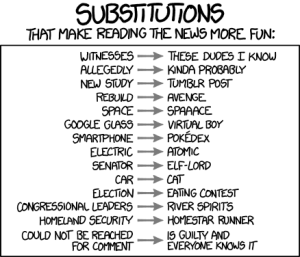
substitutions

~12:30pm: Read a few pages of This Is The Story of A Happy Marriage by Ann Patchett.

~4:30pm: Used Amazon to look up the title of a book someone recommended to me over coffee; requested the book through my library catalog. Used Scrivener to figure out a typeface, then replied to a thread on Twitter; followed a link from Twitter and read an article from The Atlantic. Used Feedly to read the three most recent posts on Copyfight, skim the last few days of posts from Cory Doctorow on BoingBoing, and read the most recent three posts on Dooce.

~9:00-10:30: Read more of the Ann Patchett book; watched two episodes of 30 Rock (final season) from Netflix.

I’ll answer Gillmore’s questions one by one, starting with…

What are your main sources of news? nytlogo379x64

The New York Times and the Boston Globe, but primarily the NYT. Also, fairly often: the Washington Post, The New Yorker, The Atlantic, The Guardian (UK), Slate, BoingBoing, Wired, TechCrunch, and NPR. If it is a local news event, I’ll check the Patch.

Why do you trust them (if you do), and which do you trust more than others?

Many of the publications I read online have a long history in print. I trust that the journalists used sound and ethical methods, the articles have been edited for copy and content, and the facts have been checked (though some error is inevitable, especially with the pressure of the 24-hour news cycle). Reputation is part of it, but consistent quality is also important.

Do you go to news organizations’ home pages or do you mostly read articles via links from other places, such as Facebook?

For the Times and the Globe, I get daily e-mails of the headlines. The Globe tends to be sports-heavy, but the Times includes the first three headlines of each section of the paper, so that gives a broader overview (on November 8, I noticed headlines about trans fats, health care, food stamps, and the Twitter IPO). I will occasionally click links from Facebook, but I’m not on there very much. I’m more likely to click a link from Twitter, where I follow a few friends but mostly literary sources (booksellers, librarians, publishers, authors, book bloggers) and related people/organizations (ALA-OIF, EFF, etc.).

What do you think you might be missing? Do you care? 

I realize that most if not all of my usual sources have a liberal slant (anywhere from moderate to pronounced), so I’m not getting articles from a conservative point of view (though I am seeing the liberal reaction to conservative views and actions). I tend to read multiple articles on the same topics over time; there are topics I will pass over entirely, and certain issues I follow closely.

Also, nearly all of my media consumption is through the written word, whether online or in print (we get The New Yorker and Rolling Stone at home); I rarely see TV news, and only occasionally do I hear radio news (except for NPR’s weekly news quiz show, “Wait Wait…Don’t Tell Me,” which isn’t exactly news itself). Though I wish I had time to read more in-depth, long-form journalism from international sources, I feel like I get a good enough overview from my daily sources and frequent nonfiction books.

E-books in libraries

Cross-posted, in modified form, from the Robbins Library blog.

It’s a real struggle sometimes to refrain from prefacing the name Cory Doctorow with the phrase “my hero.” In addition to being an author (Little Brother and Homeland, among others), blogger, journalist, and the co-editor of Boing Boing, he is also a tremendous advocate for libraries. In particular, he often writes about the relationship between libraries and publishers.

Most public libraries have jumped on the e-book bandwagon, and have found some platform from which to lend e-books for patrons to borrow. However, these platforms are usually somewhat clunky (though they are improving), and publisher restrictions hamper what books libraries are able to buy and how we are able to lend them. Thus, for the most part, e-books work much the same way print books do: one person can use them at a time, and if more than one person wants to read a particular book, there is a waitlist.

The “one copy/one user” model, as it is called, is an artificial constraint put in place by the publishers, who require each e-book to come wrapped in digital rights management (DRM) software. DRM limits what readers can do with their e-books: an e-book with DRM will only work on certain devices, usually can’t be moved from one device to another, can’t be lent or shared, and can’t be copied.

Of course, publishers are correct to be concerned. E-books are new territory, and it’s much easier to copy a digital file than it is to copy a print book. However, as Doctorow points out, libraries are, and always have been, publishers’ greatest allies. Especially with the decline of brick-and-mortar bookstores, it is often librarians, not booksellers, who connect readers with new authors.

Here are a couple of paragraphs from one of Doctorow’s latest essays on the topic, but I encourage you to read the whole piece:

“There are libraries in every town, and even though they’re under terrible assault in the age of austerity, they remain the mark of a civilized society and benefit from librarians’ amazing organizational skills. The modern library has become something like a bookstore, where helpful staff who love books and authors take enormous pride in ‘‘hand-selling’’ the publishers’ products to their patrons. Libraries host some of the best author events, too, providing a vital space for readers and writers to connect.

Unlike every other channel for e-books, libraries are not the publishers’ competitors. They don’t want to sell devices. They don’t want to win over customers to a particular cloud. They just want readers to read, writers to write, and publishers to sell. They deserve a better deal than they’re getting.”

Librarians continue to push the conversation along, but meanwhile, we’re still buying (well, licensing) e-books for our patrons at unfair prices, under unfair restrictions. But it’s not all doom and gloom: some publishers, like sci-fi imprint Tor, are experimenting with DRM-free books, and so far that has not led to an explosion of e-book piracy, so perhaps more publishers will move in that direction.


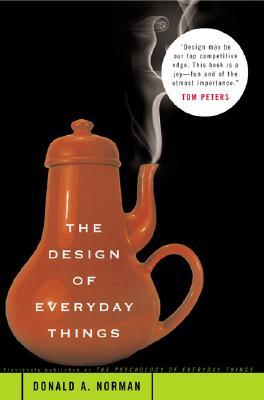
The Design of Everyday Things by Donald A. Norman

“Good design is actually a lot harder to notice than poor design, in part because good designs fit our needs so well that the design is invisible, serving us without drawing attention to itself. Bad design, on the other hand, screams out its inadequacies, making itself very noticeable.”

designofeverydaythings
The above quote is from the preface to the new edition of The Design of Everyday Things, which will be published in November (the preface is already available). If I’d known a new edition was coming so soon, I might’ve waited a few months, but as it is, the 1988 edition holds up fairly well. The examples are outdated, but the principles remain sound, and Norman even predicted certain technological advances (the smartphone, for example).

Norman’s principles of design truly do apply to everything that people make and use, from the simple (doors) to the advanced (computers). Though technology has improved since 1988 (now, of course, computers are everyday things), some of the same design flaws persist, and Norman’s decades-old observation still holds true to some extent: “[D]esigners of computer systems seem particularly oblivious to the needs of users…” Designers, who know their products well, often fall into the trap of thinking that they are the typical user, when in fact, they usually cannot predict the type of errors that users will commit.

So, what are these principles?

Visibility: Is it clear from examining the object in question how it can be used, or what should be done with it? For example, is the on/off switch in the front, or hidden around the back? I thought of an example of poor visibility right away: at our library, we have a coin box where patrons pay for their print jobs. This box is designed so that coins go in a slot at the top. The machine also accepts $1 and $5 bills, but the slot for the dollar bills is placed on the front of the box but very far down, near the floor. Patrons frequently come to the desk to get change for a bill, and we show them that the machine does in fact accept bills. A lot of them apologize for bothering us and blame themselves for not seeing the bill slot, but really, it is a bad design: the bill and coin slots should be grouped together.

Natural mapping: Essentially, does the way a thing works make sense? A joystick or a mouse employs natural mapping: forward=up, backward=down, left=left, right=right. Likewise a steering wheel in a car: turn right to move right, and left to move left. The opposite would be counterintuitive, confusing, and frustrating, and would lead to frequent error.

Conceptual model: Norman writes about three aspects of mental models: the design model, the system image, and the user’s model. The design model is the designer’s mental map of how their product works; the system image is what the product shows to the user; and the user’s model is a mental map of how they think the product works. In the preface to the 2002 edition, Norman writes, “Design is really an act of communication, which means having a deep understanding of the person with whom the designer is communicating.” Because the designer and the user don’t communicate directly, the user’s only insight into the designer’s mind is through the system image. Therefore, the designer must “explain” through the system image how the product works, and guide the user to perform the correct actions for the task they want to complete – not an easy feat. However, Norman writes, as a rule of thumb, “When instructions have to be pasted on something…it is badly designed.” Things work best when the designer and the user have similar conceptual models.

Feedback: Once the user has completed an action, how does s/he know whether it has worked or not? Humans generally are not comfortable with uncertainty, so a good design provides feedback to explain what is happening or has happened. “Design should…make sure that (1) the user can figure out what to do, and (2) the user can tell what is going on.” Feedback includes everything from progress bars (“Your download is 58% complete”) to descriptive error messages with helpful next steps.

Swash_ornament_zeimusu

While reading The Design of Everyday Things, Clarke’s Third Law came to mind: “Any sufficiently advanced technology is indistinguishable from magic” (Arthur C. Clarke). When processes become invisible, they come to seem magical and mysterious. The flip side is that “magic” is hard to take apart, fix, and put back together; cellphones aren’t like old radios. With much of today’s technology, it is difficult for users to tell what is happening, and, if something is going wrong, how to fix it. The Design of Everyday Things doesn’t necessarily help users who are frustrated with a product (except by assuring them that it likely isn’t their fault, but rather the fault of the design), but it does help us recognize bad design, think about how it could be better, and appreciate good design.

More quotes from the book can be found in my Goodreads review.

What to read and how to read it: RSS feeds and library blogs

When Google Reader announced it was shutting down, I considered several options and chose to migrate to The Old Reader. The migration took a few days because of heavy traffic, but once that was done and I started using it, I liked it a lot; it was the most similar and therefore least disruptive change.

However, right around the time I went to NELLS, The Old Reader was having some issues and it looked like it was going to be down for quite a while. To their credit, they’re doing everything they can to make The Old Reader sustainable in the long term, but I didn’t want to be without my RSS feed for that long.

feedly-logo1-640x297Instead of looking back at my first post on the topic (see link in first paragraph), I went ahead and chose Feedly. If I had looked back at my own research, I probably would have gone with Newsblur, but I’ve been fairly happy with Feedly. It’s easy to organize your subscriptions into folders and move the folders around; there are a number of view options; the app for the tablet is good. The left-hand sidebar menu tends to disappear (to give more room to what you’re reading), but reappears when you float over it.

But the RSS tool is only the how, not the what. The what, of course, is the content itself, and since NELLS I have added a few more blogs to my “Library Blogs” folder, including friends and fellow NELLS participants Anna at LCARSLIBRARIAN and Sarah at librarysarie. (Those links go directly to their posts about NELLS.)

A few of my other favorite library blogs:

  • Brian at SwissArmyLibrarian: SwissArmyLibIn addition to the always-interesting Reference Question of the Week, Brian also writes clear, concise, thoughtful posts relevant to the public library world. He has a lot of experience as a librarian, but I think his blog would be interesting for library patrons as well as other librarians. Plus, he works in Massachusetts, so if you’re in New England there’s a good chance you’ll see him in person at a conference. Say hi!
  • Sarah at LibrarianInBlack: Opinionated, honest, and unafraid to stand up for herself and her library, Sarah is the director of a public library in California. As she says on her “About” page, “I am a big technology nerd and I believe in the power of libraries to change lives.  Combined, they make a fearsome cocktail.”
  • Jessamyn at Librarian.net: Jessamyn writes from Vermont about libraries, technology, politics and government (she covered the Kirtsaeng v. Wiley case, for example). A great writer, relevant and interesting content. LibraryLoon
  • Gavia Libraria, the Library Loon: the pseudonymous Loon writes about issues within library school and academic libraries. I enjoy her opinionated style as well as the substance of each post. She recently linked to Meredith Farkas’ piece, “Managing the ‘whole person,'” which I highly recommend, especially to NELLS folks. Meredith’s blog is another good one for those interested in academic libraries and instruction in general.
  • Julie at Perfect Whole: Julie is a librarian, reader, and writer who until recently wrote twice-monthly essays, published on the first and 15th of the month. This schedule has been suspended recently but there are plenty of thoughtful, well-crafted essays as well as the occasional current post.  Her “I can’t believe you’re throwing out books!” essay sparked a lot of conversations about weeding.
  • Linda at ThreeGoodRats: Linda is one of my co-workers (we both write for the Robbins Library blog) and ThreeGoodRats is where she reviews the many, many books she reads. Her reviews are neat, to-the-point, honest, helpful (if you’re trying to decide whether or not to read that particular book), and insightful. She also has a Sunday knitting feature that will knock your (handmade) socks off. YALSATheHub
  • Young Adult blogs: I enjoy the unique review style at Forever Young Adult, though I don’t read 100% of the content. Some of their reviews are now featured on Kirkus. They also write TV show recaps. YALSA’s The Hub is another YA blog I browse (Anna of LCARSLIBRARIAN writes for them sometimes). There is a high volume of content so I don’t read everything, but a recent favorite post is “Too Many Trilogies.”

So those are a few blogs I make a point of reading. What are your favorites? And what have you found to replace Google Reader (assuming you were using it in the first place), and are you happy with it? Comment below!

Password creation and user experience (UX)

File under: Something is Wrong on the Internet.

We have passwords for everything. We have passwords for e-mail, for online banking, for social networking sites (Facebook, Twitter, Tumblr, Pinterest…), for our phones, for our debit cards, for photo sharing sites, for online magazine and newspaper subscriptions, et cetera. Every company with a website wants you to create a login and password, so they can (a) start collecting information about you, and (b) inundate you with tailored advertising.

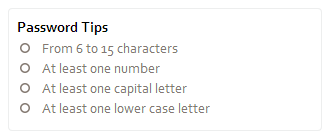
But I’m not writing about the necessity of these multiple login/password combinations (or lack thereof); I’m writing about the annoyance and frustration that results from each company and service having different requirements for creating a password. You know: it must be between 6-15 characters (or 8-12, or 6-20), it must be a combination of letters and numbers (or letters, numbers, and special characters), you can/cannot use spaces, it is(n’t) case sensitive…and so on.
password_tips

Obviously it’s wise to use different passwords for different sites. That way, if (for example) your Facebook account gets hacked, the hackers don’t automatically have your password to your Amazon account, your bank, etc. However, remembering dozens of passwords is tricky, and writing them down or saving them someplace online presents problems too (though I’ve heard good things about the password manager LastPass).

My current approach is to use a “stem,” a combination of letters and numbers, and attach a different prefix or suffix that is easy for me to remember, depending on the site or service I’m using. Inevitably, though, a set of password requirements comes along that causes me to have to tweak my formula in a way that ensures I will not remember it in the future, and so I’ll have to send myself a password reminder and re-set it the next time I want to log in.

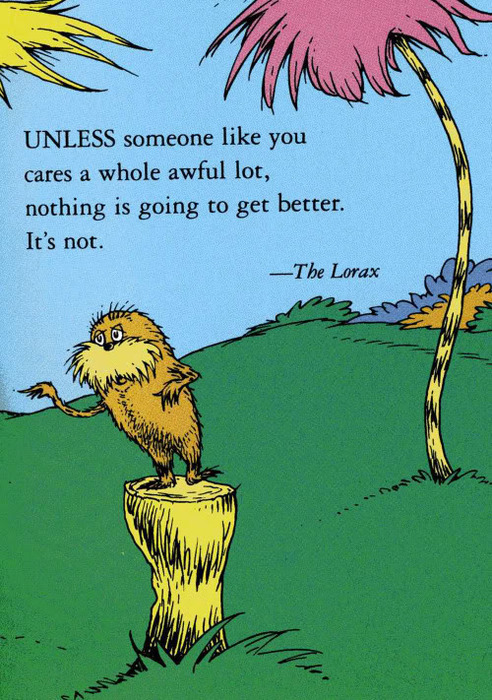
UNLESS, before prompting me with the “Forgot your password?” link to send that reminder, the site simply provided its password requirements (e.g. the “Password Tips” image above, which is from the Starbucks website). Then I’d be able to remember, or at least make a very good guess, as to how I’d modified my usual password, and not have to go through the process of re-setting my password again and again.

This is a tragically simple fix that would improve user experience so much, and yet almost no website does it. Yes, The Internet, that’s a challenge.

unless_lorax

Image from Tumblr via Google Image Search. Copyright most likely held by the estate of Dr. Seuss (Theodor Geisel) or Random House. Obviously I neither created nor hold the rights to The Lorax, the publication of which preceded my birth by at least a decade.


The Sleeping Policeman: DRM is not harmless

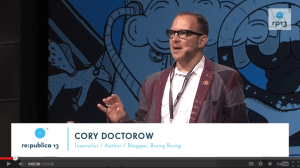
doctorow_cory_republica_2013The title of Cory Doctorow’s recent talk at the re:publica conference in Berlin, “It’s not a fax machine connected to a waffle iron,” is a phrase I heard him use at an event for his recent book, Homeland (the follow-up to Little Brother) at the Harvard Bookstore in March. Indeed, the two talks shared a theme as well as some overlapping material, but I believe it’s worth writing about again. (I’ve provided the approximate times of the video for quotes, if you want to jump right to that section of the talk.)

Doctorow explained digital rights management (DRM) in simple terms, then said, “From the beginning it was a fool’s errand. This is a break once, break everywhere exercise in futility that can’t prevent copying” (~10min30sec). Those who create DRM know that it doesn’t stop copying, but that it’s a speed bump (“sleeping policeman,” in Britain). However, “the speed bump is between the people who want to do the right thing and their enjoyment of the media….The speed bump is only there if you’re doing the right thing” (~11min/~12min). DRM will be broken by those who are tech-savvy, and will frustrate users who aren’t, even when they’re trying to use the product they purchased in an “approved” way.

Doctorow continued, “It’s impossible to talk about technology questions without examining and weighing legal code at the same time as we consider software code” (~14min). The World Intellectual Property Organization (WIPO), established in 1967, “made it illegal to reverse engineer or interoperate with any technology that had any DRM in it” (15min30sec). This has had the chilling effect of reducing innovation; products are designed to be resistant to user modification (this is called “robustness”). Therefore, “digital rights management effectively bans free and open-source software” (~18min40sec).

“Why does it matter if you can’t interoperate with a system?” Doctorow asked rhetorically. One answer is, because it kills innovation (~19m). Take DVDs and DVD players, for example: “DVDs have been out since 1996. And not one feature has been added to them since 1996….You are legally allowed to watch your DVDs. Period….And that is what you get when you add DRM to any technology” (~21min30sec/~23min).

But interoperability “is only the first-order casualty of DRM.” The most dire consequence of DRM is (the loss of) transparency (~23min20sec). Devices come pre-loaded with “anti-features” that instead of saying “yes, Master,” say “I can’t let you do that, Dave” (~23min45sec). Lest we find these anti-features on our devices and simply put them in the trash, they are hidden from us:  they are “designed to lie to you” (~25min).

And that, Doctorow said, is the true cost of DRM. “When you add DRM to a system, you create a legal requirement for opacity, and an injunction against reporting weak security….Computers have the power to liberate us or to enslave us. When computers don’t tell us what they’re doing, they expose us to horrible risks. And when the law prohibits third parties from finding out what our computers are doing, and telling us about it, those risks are magnified” (~28min/29min30sec).

Computers, Doctorow pointed out, are ubiquitous. He gestured to the audience, “Everything in this room has a wireless interface. You are basically in a microwave oven now” (~33min40sec). And he warned against complacency: “We [the tech-savvy] can break DRM, but that doesn’t mean it’s harmless” (~36min15sec). DRM and other ways that our technology is designed to work against us instead of for us have serious consequences. “People who believed that computers and networks could solve problems also saw that they had the potential for terrible oppression” (~37min). The internet is “the nervous system of the 21st century, where everything we do today involves the internet and everything we do tomorrow will require it” (~39min20sec). “We can build a network that is part of our freedom or part of our oppression….I want a free and fair world….There is no way to fight oppression without free devices and free networks” (~45min30sec/~44min20sec).

Quotes from the Q&A

The first person referred to the story Doctorow had mentioned about Barnaby Jack’s identification of a security flaw in implanted defibrillators: “I wouldn’t want to attach my heart to the internet.”

In response to another question, Doctorow made an analogy between the regulation of drinking water in London and the regulation of computer networks: “It should always be legal to blow the whistle. It should always be legal to know things about your water….We should regulate water with the gravitas of something that is literally life or death, not just for us, but for everybody in the world whose  destinies we’re intermingled with. And this is true of networks and computers…” (~54min30sec)

Another question concerned the youngest generation, and how they might contribute. Doctorow said, “I really firmly believe that a sense of agency, control, and the right to tinker is at the core of raising a generation that will not allow their computers to become tools of oppression” (~58min30sec). He mentioned two tools that allow kids to create rather than consume: Popcorn, a video remixing tool from Mozilla, and Scratch, a simple programming language from the Lifelong Kindergarten Group at the MIT Media Lab. (Of course, once you’ve created content, you have to be aware of how and where you’re sharing it; if you’re using a platform such as facebook or tumblr, what are their terms of agreement? And around we go again.)

Watch Cory’s talk here, or by clicking on the image at the top of this post.