Digital Library Launch

Tomorrow, the digital library we have been building in LIS-462 is officially launching! Over the course of the semester, the class has digitized the scrapbook of Caroline Stokes, a student at Simmons from 1929-1933. We’ve done everything from digitization to metadata, writing content to creating the database and website. It has been a huge effort but a great learning experience. View the Caroline Stokes Scrapbook here.

The Caroline Stokes Scrapbook home page.

Academic Uses of Social Media

The GSLIS Tech Lab streamed the Berkman Center for Internet & Society webinar “Academic Uses of Social Media: Exploring 21st Century Communications” this afternoon. John Palfrey, faculty co-director of the Berkman Center (and author of Born Digital ), gave an introduction and noted that, when looking at the growth of social technologies, it is important to keep in mind the digital divide (which so often corresponds to the socioeconomic divide).

The keynote speaker, Danah Boyd, sought to provide “a higher-order conceptual understanding” of the “cultural logic” behind social media and networking sites. She examined the components of social media sites like Facebook and Twitter; what do these services do? She spoke of the user profile as “writing the self into being” and the friend structure as “writing the audience into being.”

Boyd also talked about the creation of a new kind of public space; its persistence over time, its replicability, searchablity, and scalability. She also spoke of the invisible/imagined audience, the collapsing of contexts, and the blurring between public and private, and how “young people” are participating in a public environment but still want privacy.

One of the most interesting points she made was that face-to-face interactions are private by default and public by effort, whereas interactions through social media are public by default, private by effort. She, too, emphasized that not all young people are “digital natives,” and that even because they use certain technology doesn’t mean they understand it: for example, one can use a search engine every day without really knowing how to structure a query properly.

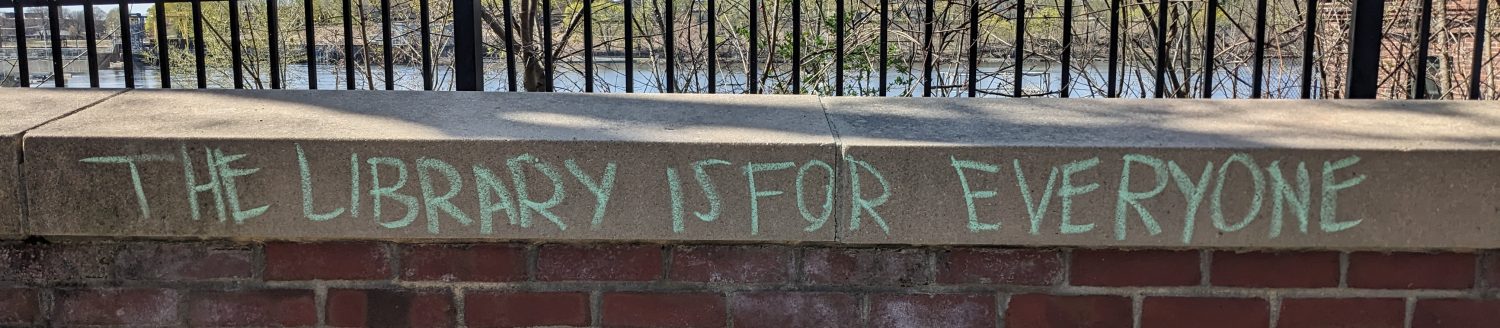
Near the end of her lecture, Boyd showed a slide with this image: “Replace fear of the unknown with curiosity.” The source appears to be a blog concerned with celebrity news and fashion, but it’s an excellent position to take, all the same.
Preserving Your Personal Digital Memories

We used to keep photographs in shoeboxes or albums, and documents in file cabinets; what now that many of our photographs and important documents are digital?

As part of ALA’s Preservation Week, Bill LeFurgy at the Library of Congress gave a webinar entitled “Preserving Your Personal Digital Memories,” which M.I.T. Preservation Librarian Ann Marie Willer was kind enough to stream and make available to GSLIS students.

LeFurgy outlined the risks to digital files: obsolete storage equipment (e.g. floppy disks), scattered files (on different devices or services), and user mistakes, forgetfulness, and procrastination (how often do you back up your files?).

He introduced the concept of active management and broke it down into four steps:

  1. IDENTIFY where you have digital files
  2. DECIDE which files are most important
  3. ORGANIZE selected files
  4. MAKE COPIES and STORE them in different places

Simple enough, and the time and effort you put in is up to you (though the more time and effort, the better your results).

LeFurgy recommended storing files on CD-R, but said that no storage technology could be trusted for more than five years; it’s a good idea to test it annually, whether it’s a CD, an external hard drive, or a USB drive.

Version Control Saves Lives!

March has been a workshop-rich month: today I attended “Git for Fun & Profit, or How Git May Save Your Life,” presented by Mark Tomko in the GSLIS Tech Lab. He designed this workshop recently with the Digital Libraries class in mind, and it was a great overall as well as practical intro.

In plain English, version control systems (VCS) allow users to keep track of changes to a set of files and directories. For example, if you’re working on a website and you break something but can’t figure out what, you can always revert to a working version and start over from there. VCS also allows multiple users to read and modify the same files simultaneously. Git is available to download for free, and there are lots of web resources for users.

Drupal and UX

The GSLIS Tech Lab offered a follow-up to last week’s CMS workshop in the form of a hands-on Drupal workshop. Unfortunately, due to a technical glitch we weren’t able to do an installation (though we were promised a video tutorial in its place), but we did create sites using Drupal Gardens and learn the basics. It seems a lot less confining than WordPress, and correspondingly a little more complicated, but Drupal 7 is leaps and bounds better in this respect than previous versions, I hear. I look forward to playing with it some more.

This evening was another ALA Brown Bag lunch (offered both during lunchtime and in the evening now, so more people can attend). This time we had a guest speaker, GSLIS alum (’05) Khalilah Gambrell, who is currently a User Experience Senior Requirements Analyst at EBSCO Publishing. Having a guest speaker there focused the discussion a bit more and gave current students a chance to ask questions of a recent grad with experience in the field. A few resources that Khalilah recommended on the topic of user experience (UX) were the book Don’t Make Me Think by Steve Krug and the sites Mashable, Read, Write, Web, and Boxes and Arrows.

CMS and Random Library Fact

This morning I attended the CMS program at Simmons sponsored by NEASIS&T. First we heard about WordPress from Theresa Maturevich, who used WordPress to build the Beverly Public Library site, which won the Massachusetts Library Association’s Public Relations Award in 2009. Next we heard from Michael Witwicki, who spoke about ExpressionEngine; then Steve Sanzo, who spoke about Drupal, and finally Anna Burke (a Simmons GSLIS grad!) and Talia Resendes from Springshare, who presented LibGuides. All of the talks were interesting, especially considering that of the four CMS we heard about, only two – ExpressionEngine and Drupal – were designed to be CMS; WordPress was designed as a blogging tool, and LibGuides was a web platform for subject and research guides. These last two retain their original functions in addition to expanded ones, but it’s a case of the people behind the software adapting the product in response to the (unintended/unforeseen) way(s) people were using it.

Now for the random library fact: it’s not hugely surprising, but I read in G. Edward Evans’ Developing Library and Information Center Collections that library books shelved on the top and bottom shelves have lower circulation rates than those shelved on the middle shelves. This makes sense, because the books on the middle shelves are closer to most people’s eye level; no one has to crouch or stand on tip-toe to see them. It’s a compelling argument against using the lowest and highest shelves at all – if you have the space. (Bookstores, in comparison, tend to use their highest shelves for overstock.)

Content Management Systems

Content Management Systems (CMS) don’t belong solely to the library field, but they’re welcomed, because they come with an acronym, and librarianship is the most acronym-happy profession I know. (Then again, I have never worked for the government.)

Obviously I have been using WordPress (which is a CMS) for some time now, having switched over from Blogger back in November 2009. However, I thought I would take the opportunity to learn about other content management systems – Drupal, Joomla, etc. – some of their pros and cons, strengths and weaknesses, and what they might be good for. The workshop today in the GSLIS Tech Lab was a good start, and it convinced me to register for next week’s mini-conference, sponsored by the New England chapter of ASIS&T and co-sponsored by the Simmons student chapter (of which I am a member).

Developers & Designers

On Saturday I attended the Developers & Designers event at the “Microsoft Nerd Center.” Developers and designers from web startups gave short presentations on topics such as HTML5 and CSS3, web standards, and user experience. They also presented introductions to in-demand technologies and tools for web and mobile, such as jQuery, MySQL, Ruby on Rails, Git, and Unix Shell. It was exciting to get a taste of the tools and languages being used now, and I learned about some good resources that I’ve been able to put to use right away, while working on code for my Web Development class.