NELA 2014: Library Corps of Adventure

Library Corps of Adventure! Looking at Libraries Across the Lewis & Clark Trail, Mary Wilkins Jordan (Monday, 2pm)

This presentation had very little to do with my day-to-day work at my library, but it’s good to go to at least one of those sessions during a conference. Mary Wilkins Jordan is a popular professor at the Simmons School of Library and Information Science (SLIS, formerly GSLIS), and she didn’t disappoint in this session. As we wandered virtually along the Lewis and Clark trail (not really just one trail, it turns out), Mary covered the following:

  • Coming up with the idea: she ended up driving more than 10,000 miles across ten states in three months
  • Obtaining funding: a Kickstarter plan failed, but the word got out to library listservs across the country, and librarians – surprise! – were happy to help
  • Researching libraries, museums, and historical sites along the trail
  • Planning, packing, preparation (including logistical hurdles like “no car”)
  • Her trusty GPS, Jane, and the danger of accidentally turning off the “stay on paved roads” option
  • The cool libraries she found along the way, including at least one with cats available for checkout (Someone on Twitter responded to this news: “Wait…living cats?!” Yes. Living cats. They had barcodes on their collars.)
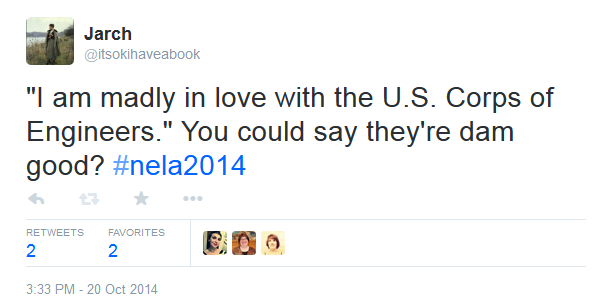
  • The difference between the U.S. Army Corps of Engineers dams and private dams*
  • A library with plexiglass-esque floors (Actual question from the audience: “Does everyone wear pants at that library?” Answer: Yes, but that may be coincidence – the floors aren’t actually see-through.)
  • The different information needs that people have in different areas, and how that information is communicated
  • Seeing ALA’s summer reading theme (Fizz Boom Read) in action in libraries from Missouri to Oregon
  • Seeing a community get into the “Geek the Library” campaign
  • Encountering new topography (“Everything in Washington is up a very steep hill. I don’t know how they do it but everything is uphill”) and dangers (“An interesting thing about the West is that it catches on fire ALL THE TIME”)
  • Observing that libraries are struggling for funding, but still doing great things in their communities
  • The importance of seeking better information, not just accepting the first information you find. (Seek better information, find cleaner bathrooms!)
  • Interesting facts about Lewis and Clark’s traveling party (“Everyone lived. Everyone but one guy. He died of appendicitis. It was no one’s fault”)
  • Photos of various historical sites along the way
  • The lack of diversity in library staff
  • The different ways libraries are working in and with their communities (“Community involvement is critical”)

*I made a terrible, obvious pun about this on Twitter, to which the US ACE responded:

USACEtweet1USACEtweet2


Mary’s talk was entertaining, and she said she’s planning to write a book about her experience, so stay tuned. The data analysis stage, apparently, is less fun than the travel stage, but she’s looking at the size of communities she visited, how many libraries were Carnegie buildings, how many and what kind of programs they offer, and whether or not they have a strategic plan.

“Everything is amazingly beautiful.”

One of the unique things about working in a library is the opportunity to visit other libraries to see what they do differently and what’s the same. If you have a job in a regular office, you probably don’t see a lot of other people’s offices, or at least you have to make an appointment with someone to do so. With libraries, you can just walk in and look around anytime they’re open. (As Gina Sheridan says, “What makes a public library amazing is that we welcome everyone. Everyone!”) I like to visit other local libraries when I can, and I try to visit libraries when I’m traveling as well, but I’ve never made an official project out of it (though I do enjoy stealing cool display ideas). Vermont librarian Jessamyn West, on the other hand, is working on such a project: she’s going to visit all 183 of Vermont’s libraries, and Mary’s project reminded me a little bit of hers.

Are you a library tourist? What are some of the coolest/strangest things you’ve seen in libraries?

NELA 2014: Peter H. Reynolds

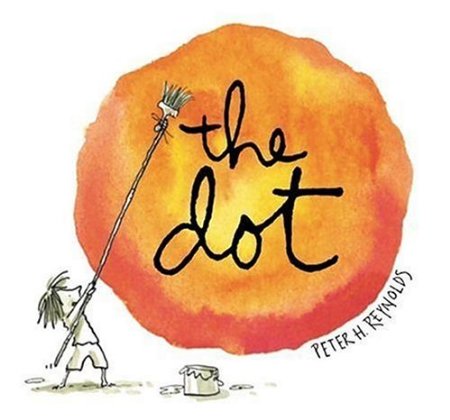
thedotPicture book author and Massachusetts local Peter H. Reynolds spoke at the New England Roundtable of Teen and Children’s Librarians (NERTCL) luncheon on Monday at 12:30. He gave a very engaging presentation, including slides and video, and he did an original drawing that was raffled off at the end of his talk (see easel in photo below).

Though I love picture books, I hadn’t encountered The Dot before – or Ish or The North Star – but now I’m a fan. Reynolds’ books are colorful, and they celebrate art and creativity in a way that doesn’t bang the reader over the head with a moral.

He’s also very quotable:

  • “Art is one of the last playgrounds we have left.”
  • “Story is one of the most powerful technologies we have.”
  • “Creativity needs funding.” Tell your policymakers! Turn STEM into STEAM*, and remember that creativity isn’t confined to art class – it should be encouraged in other subjects too.
  • “Vision: to be able to see something before it exists.”
  • Ask kids: “Who are you?” and “Who do you want to be?” Remember those are two different questions. Tell them, “You are not the test score. You are not the data.”

*Science, Technology, Engineering, Arts, Mathematics

peterhreynolds
Peter H. Reynolds at the NERTCL luncheon at NELA, Boxborough, MA, October 20, 2014.


NELA 2014: Programming for Millennials

Cross-posted at the NELA conference blog.

Mixing It Up for Millennials: Library Programming for 20- and 30-Somethings  (11am)

In this panel presentation, three librarians shared their experiences creating library programs to attract that elusive 20s-30s age group. Carol Luers Eyman from the Nashua Public Library (NH) presented “A Night Out for 20-Somethings,” an after-hours event at the library where 20-somethings could meet each other and see what the city’s community groups and organizations had to offer. The event was from 6:30-8:30pm on a Friday night (after work, but “before the real parties started”). There was no alcohol, but library staff made the space look less “institutional” with tablecloths, (fake) candles, couches and chairs, a piano player, and refreshments. To promote the event, they went above and beyond the usual press release, contacting new teachers, young journalists, personal acquaintances, young library employees, older library employees’ kids, etc.; they also extracted patron e-mail addresses in the 20-29 age range and sent one e-mail notification. The “Night Out” attracted 62 attendees (not including the 39 who just wanted to get into the library, not there for the event).

“Make programming social.”

getlit_haverhillSarah Moser is in charge of programming for adults at the Haverhill Public Library (MA), and she said, “You never really know what is going to attract this group.” Art and music programs have done well; a Scrabble tournament and a community writers program flopped. The most successful regular program is the monthly book club, Get Lit. The library established a partnership with a local restaurant, the Barking Dog Ale House, where the group meets one Thursday evening each month. Holding the library program outside the library removes preconceptions about the library, and creates a looser social environment. Moser has had success in reaching out to authors on Twitter, where they are happy to re-tweet about book club events, and the group regularly attracts 10-15 people.

Kelley Rae Unger (Peabody Institute Library, MA), a former YA librarian, brought the concept of the Teen Advisory Board (TAB) to the realm of adult programming; she organized a 15-person focus group and created an Adult Programming Advisory Board, which meets 3-4 times a year; there is a mix of ages, interests, and genders. There was less enthusiasm for one-time or one-shot events, and more interest in multi-week or repeating events. Everyone on staff at Peabody runs some programming, in line with their interests (“teach what you know”), which include coffee roasting and beer brewing; volunteers from the community run programs also. They are active grant writers, and have funded many programs through grants. They have offered book clubs, programs about budget travel, a film discussion group, and cooking classes; in their Creativity Lab makerspace, they have offered silk screening, 3D printing, computer programming, Arduino, and woodworking. People register for events online, and events are promoted through a Constant Contact newsletter and the facebook page. Instruction is always free, though attendees may need to provide their own materials.

“If you own this story, you get to write the ending.” -Brene Brown

Not every program intended to attract people in their 20s and 30s will do so, but that doesn’t mean libraries should give up on this demographic. Involve community members in brainstorming, planning, and teaching; reach out and form partnerships with organizations and businesses in the community; and advertise creatively.

What cool library programs have you had? Share ideas in the comments.

NELA 2014: Consent of the Networked

Cross-posted on the NELA conference blog.

Intellectual Freedom Committee (IFC) Keynote: Consent of the Networked: The Worldwide Struggle for Internet Freedom, Rebecca MacKinnon (Monday, 8:30am)

MacKinnon pointed to many excellent resources during her presentation (see links below), but I’ll try to summarize a few of her key points. MacKinnon observed that “technology doesn’t obey borders.” Google and Facebook are the two most popular sites in the world, not just in the U.S., and technology companies affect citizen relationships with their governments. While technology may be a liberating force (as envisioned in Apple’s 1984 Superbowl commercial), companies also can and do censor content, and governments around the world are abusing their access to data.

“There are a lot of questions that people need to know to ask and they don’t automatically know to ask.”

MacKinnon noted that our assumption is that of a trend toward democracy, but in fact, some democracies may be sliding back toward authoritarianism: “If we’re not careful, our freedom can be eroded.” We need a global movement for digital rights, the way we need a global movement to act on climate change. If change is going to happen, it must be through an alliance of civil society (citizens, activists), companies, and politicians and policymakers. Why should companies care about digital rights? “They are afraid of becoming the next Friendster.” The work of a generation, MacKinnon said, is this: legislation, accountability, transparency, and building technology that is compatible with human rights.

It sounds overwhelming, but “everybody can start where they are.” To increase your awareness, check out a few of these links:


NELA 2014

NELA2014On Monday, October 20, I’ll be at the New England Library Association (NELA) Conference. I’m looking forward to seeing several librarian friends, meeting some new people, and attending some excellent programs; I’m especially looking forward to Rebecca MacKinnon’s keynote (despite its much-too-early time slot – 8:30am?!). I’ll probably be on Twitter throughout the day (@itsokihaveabook, #NELA2014) and may do some blogging for the conference blog, http://conference.nelib.org. If you’re a New England librarian, I hope to see you there.

(Failing to) Protect Patron Privacy

Twitter_Overdrive_Adobe

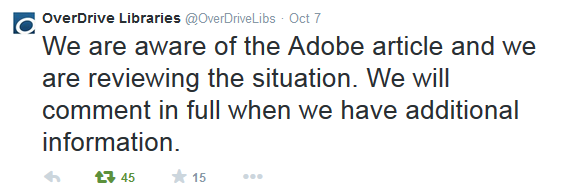
On October 6, Nate Hoffelder wrote a post on The Digital Reader: “Adobe is Spying on Users, Collecting Data on Their eBook Libraries.” (He has updated the post over the past couple days.) Why is this privacy-violating spying story any more deserving of attention than the multitude of others? For librarians and library users, it’s important because Adobe Digital Editions is the software that readers who borrow e-books from the library through Overdrive (as well as other platforms) are using. This software “authenticates” users, and this is necessary because the publishers require DRM (Digital Rights Management) to ensure that the one copy/one user model is in effect. (Essentially, DRM allows publishers to mimic the physical restrictions of print books – i.e. one person can read a book at a time – on e-books, which could technically be read simultaneously by any number of people. To learn more about DRM and e-books, see Cory Doctorow’s article “A Whip to Beat Us With” in Publishers Weekly; though now more than two years old, it is still accurate and relevant.)

So how did authentication become spying? Well, it turns out Adobe was collecting more information than was strictly necessary, and was sending this information back to its servers in clear text – that is, unencrypted. Sean Gallagher has been following this issue and documenting it in Ars Technica (“Adobe’s e-book reader sends your reading logs back to Adobe – in plain text“). According to that piece, the information Adobe says it collects includes the following: user ID, device ID, certified app ID, device IP address, duration for which the book was read, and percentage of the book that was read. Even if this is all they collect, it’s still plenty of information, and transmitted in plain text, it’s vulnerable to any other spying group that might be interested.

The plain text is really just the icing on this horrible, horrible cake. The core issue goes back much further and much deeper: as Andromeda Yelton wrote in an eloquent post on the matter, “about how we default to choosing access over privacy.” She points out that the ALA Code of Ethics states, “We protect each library user’s right to privacy and confidentiality with respect to information sought or received and resources consulted, borrowed, acquired or transmitted,” and yet we have compromised this principle so that we are no longer technically able to uphold it.

Jason Griffey responded to Yelton’s piece, and part of his response is worth quoting in full:

“We need to decide whether we are angry at Adobe for failing technically (for not encrypting the information or otherwise anonymizing the data) or for failing ethically (for the collection of data about what someone is reading)….

…We need to insist that the providers of our digital information act in a way that upholds the ethical beliefs of our profession. It is possible, technically, to provide these services (digital downloads to multiple devices with reading position syncing) without sacrificing the privacy of the reader.”

Griffey linked to Galen Charlton’s post (“Verifying our tools; a role for ALA?“), which suggested several steps to take to tackle these issues in the short term and the long term. “We need to stop blindly trusting our tools,” he wrote, and start testing them. “Librarians…have a professional responsibility to protect our user’s reading history,” and the American Library Association could take the lead by testing library software, and providing institutional and legal support to others who do so.

Charlton, too, pointed back to DRM as the root of these troubles, and highlighted the tension between access and privacy that Yelton mentioned. “Accepting DRM has been a terrible dilemma for libraries – enabling and supporting, no matter how passively, tools for limiting access to information flies against our professional values.  On the other hand, without some degree of acquiescence to it, libraries would be even more limited in their ability to offer current books to their patrons.”

It’s a lousy situation. We shouldn’t have to trade privacy for access; people do too much of that already, giving personal information to private companies (remember, “if you’re not paying for a product, you are the product“), which in turn give or sell it to other companies, or turn it over to the government (or the government just scoops it up). In libraries, we still believe in privacy, and we should, as Griffey put it, “insist that the providers of our digital information act in a way that upholds the ethical beliefs of our profession.” It is possible.

10/12/14: The Swiss Army Librarian linked to another piece on this topic from Agnostic, Maybe, which is worth a read: “Say Yes No Maybe So to Privacy.”

10/14/14: The Waltham Public Library (MA) posted an excellent, clear Q&A about the implications for patrons, “Privacy Concerns About E-book Borrowing.” The Librarian in Black (a.k.a. Sarah Houghton, Director of the San Rafael Public Library in California), also wrote a piece: “Adobe Spies on eBook Readers, including Library Users.” The ALA response (and Adobe’s response to the ALA) can be found here: “Adobe Responds to ALA on egregious data breach,” and that links to LITA’s post “ADE in the Library Ebook Data Lifecycle.”

10/16/14: “Adobe Responds to ALA Concerns Over E-Book Privacy” in Publishers Weekly; Overdrive’s statement about adobe Digital Editions privacy concerns. On a semi-related note, Glenn Greenwald’s TED talk, “Why Privacy Matters,” is worth 20 minutes of your time.


Usability and Visibility

Last fall I wrote about Google’s redesign (which actually increased the number of clicks it took to get something done). Sure, it’s a “cleaner, simpler” look, but how did it get cleaner and simpler? To put it plainly: they hid stuff.

For those who are continually riding the breaking wave of technology, these little redesigns cause a few moments of confusion or annoyance at worst, but for those who are rather more at sea to begin with, they’re a tremendous stumbling block.

Today in the library, I helped an 80-year-old woman access her brand-new Gmail account. She signed on to one of the library computers with her library card – no problem there. Then she stared at the desktop for a while, so I explained that she could use one of three browsers – Chrome, Firefox, or Internet Explorer – to access the Internet. “Don’t confuse me with choices, just tell me what to do. Which one do you like?” she asked.

I suggested Firefox, and she opened the browser. The home screen is set to the familiar Google logo and search bar, surrounded by white space. I pointed up to the corner and told her to click on Gmail:

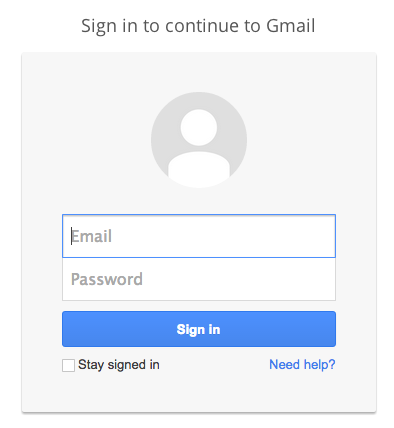
Screen shot 2014-09-02 at 7.44.07 PMThen came the sign-in screen, asking for email and password; at least the “sign in” button is obvious.

Screen shot 2014-09-02 at 7.48.45 PMNext, we encountered a step that asked her if she wanted to confirm her account by getting a mobile alert. I explained that she could skip this step, but she clicked on it anyway, then got frustrated when her inbox didn’t appear.

Now, here’s something that anyone who has ever put up any kind of signage probably knows: People don’t read signs. They don’t read instructions. Good design takes this into account; as Don Norman (The Design of Everyday Things) says, “Design is really an act of communication.” Good design communicates with a minimum of words and instructions.

In this case, I canceled the prompt for her and we got to her inbox. I showed her that she had three e-mails – informational, “welcome” e-mails from Gmail itself – and upon seeing she had no mail, she wanted to sign out. “Do I just click the X?” she asked, moving the mouse up to the upper right hand corner of the program. I explained that clicking the red X would close the browser, but that she should sign out of Gmail first (even though the library computers wipe out any saved information between patrons).

But is there a nice big button that says “Sign out”? No, there is not. Instead, there’s this:

Screen shot 2014-09-02 at 8.01.12 PMHow on earth would a new user know to click on that to sign out? She wouldn’t. And the thing about new users (very young ones excepted, usually) is that they don’t want to go around clicking on random things, because they’re afraid they will break something, or make a mistake they can’t correct or backtrack from.

I think the above scenario will be familiar to anyone who works in a public library, not to mention anyone who has tried to help a parent or a grandparent with a computer question. It’s easy to get frustrated with the user, but more often than not the blame really rests with the designer – and yet it’s not the designers who are made to feel stupid for “not getting it” or making mistakes.

And it isn’t just beginning users who run into these problems. Sometimes it seems as though designers are changing things around just for the sake of change, without making any real improvements. Examples spring to mind:

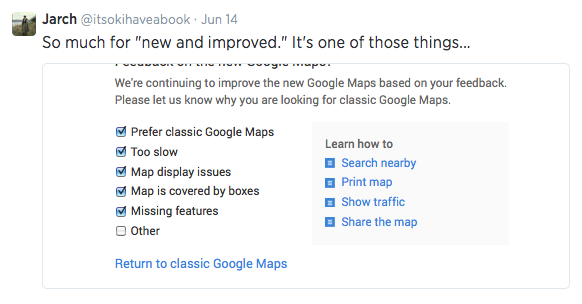
Think the latest “upgrade” to Google Maps. If there are checkboxes for all the things you already know are problems, why push the new version?

Screen shot 2014-09-02 at 8.25.28 PM

Even Twitter, which is usually pretty good about these things (and which got stars across the board in the EFF’s most recent privacy report, “Who Has Your Back?: Protecting Your Data From Government Requests”), is not immune to the making-changes-for-no-reason trend:

Screen shot 2014-09-02 at 8.18.00 PM

But perhaps the most notorious offender of all is iTunes:

Screen shot 2014-09-02 at 8.21.11 PM

Screen shot 2014-09-02 at 8.17.07 PM

To quote Don Norman (again), “Once a satisfactory product has been achieved, further change may be counterproductive, especially if the product is successful. You have to know when to stop.

To this end, I would suggest to all designers and front-end developers: please, run some user testing before you make changes, or as you’re creating a new design. Get just five people to do a few tasks. See where they get confused and frustrated, see where they make mistakes. Remember (Norman again), “Designers are not typical users. Designers often think of themselves as typical users…[but] the individual is in no position to discover all the relevant factors. There is no substitute for interaction with and study of actual users of a proposed design.

Edited to add: WordPress isn’t immune, either.

Screen shot 2014-09-02 at 8.41.47 PM

Is it “easier”? Is it “improved”? How so? I’m OK with the way it is now, thanks…but soon I’m sure I won’t have a choice about switching over to the new, “easier,” “improved” way.

“Netflix for books” already exists: it’s called the library

Even in a profession where we interact with the general public daily, it can be tricky for librarians to assess how much other people know about what we do, and what libraries offer – which is why it is so delightful to see an article by a non-librarian raising awareness of a service libraries offer. In “Why the Public Library Beats Amazon – For Now” in the Wall Street Journal, Geoffrey A. Fowler praises public libraries across the country, more than 90% of which offer e-books (according to the Digital Inclusion Study funded by the Institute of Museum and Library Services).

Noting the rise of Netflix-style subscription platforms like Oyster and Scribd, Fowler observes that libraries still have a few key advantages: they’re free, and they offer more books that people want to read.

random-house-penguin11
Graphic designer Aaron Tung’s idea for the Penguin – Random House logo

Librarians have been working with publishers for several years, negotiating various deals and trying out different models (sometimes it seems like two steps forward, one step back), but finally all of the Big Five have come on board and agreed to “sell” (license) e-books and digital audiobooks to libraries under some model. (The Big Five were formerly the Big Six, but Random House and Penguin merged and became Penguin Random House, missing a tremendous opportunity to call themselves Random Penguin House, with accompanying awesome logo.)

Thus, while Amazon’s Kindle Unlimited (KU for short – has the University of Kansas made a fuss about this yet? They should) touts its 600,000 titles, the question readers should be asking is, which 600,000 titles? All books are not created equal. The library is more likely to have the books you want to read, as Fowler points out in his article. It may be true that Amazon, Oyster, and Scribd have prettier user interfaces, and it may take fewer clicks to download the book you want (if it’s there), but library platforms – including OverDrive, 3M Cloud Library, and others – have made huge strides in this area. If you haven’t downloaded an e-book from your library recently, or at all, give it a try now – it’s leaps and bounds smoother than it used to be. You may have to wait for it – most publishers still insist on the “one copy/one user” model, rather than a simultaneous use model – but it is free. (Or if you’re impatient and solvent, you can go ahead and buy it.)

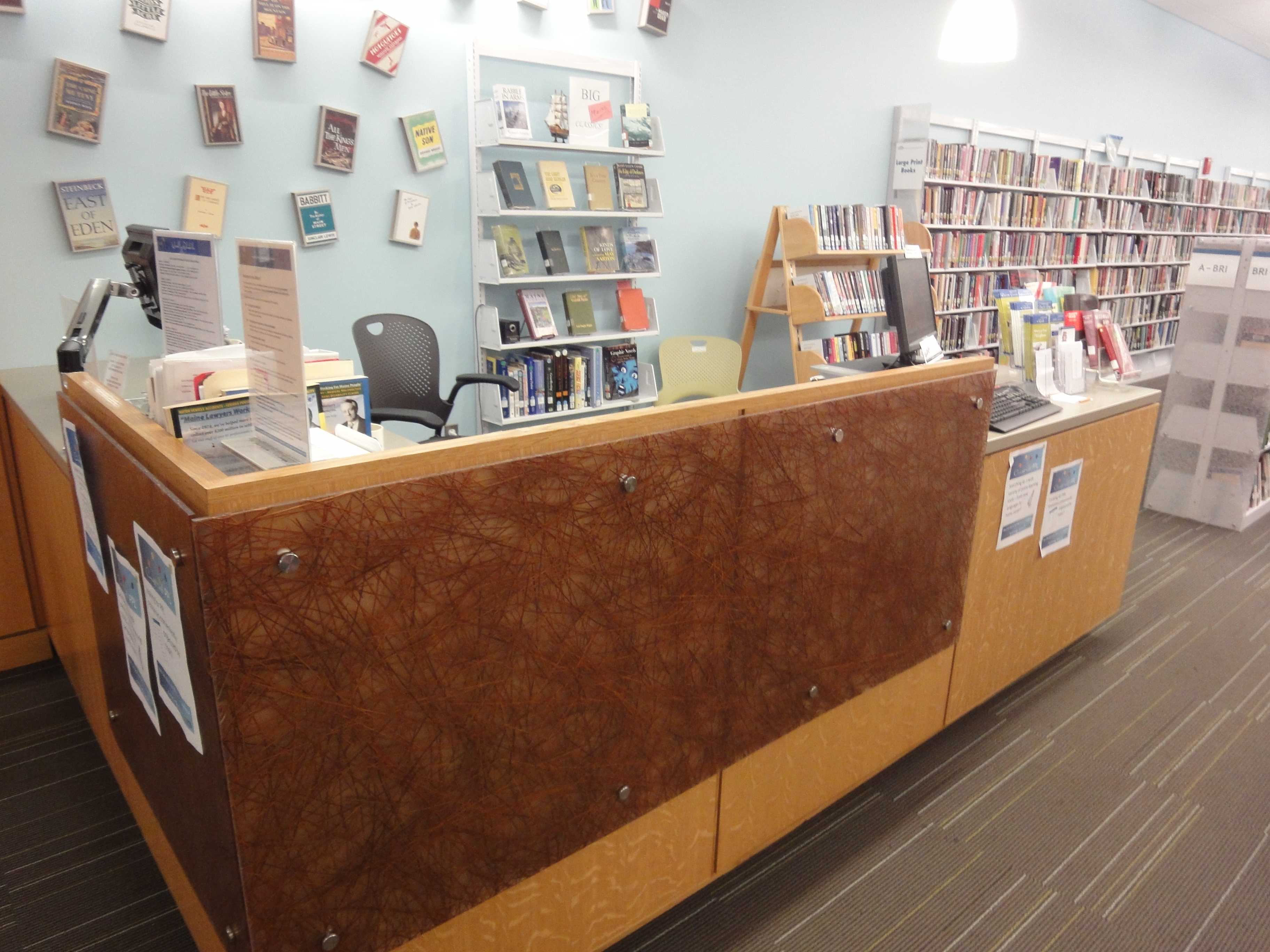
Readers' advisory desk at the Portland (ME) Public Library.
Readers’ advisory desk at the Portland (ME) Public Library.

Another way in which the library differs from for-profit book-rental platforms is that, to put it bluntly, the library isn’t spying on you. If you’re reading a Kindle book, Amazon knows how fast you read, where you stop, what you highlight. Libraries, on the other hand, have always valued privacy. The next time you’re looking for an e-book, try your local library – all you need is your library card number and PIN.

Reading Roundup: spring, summer, and fall books

Between BEA, Edelweiss, NetGalley, and the LibraryThing Early Reviewers program, I’ve gotten a chance to read several books ahead of their official publication dates this year, and they’ve all been excellent. This list is fairly fiction-heavy, but I have a few nonfiction titles coming up as well, so if that’s your thing, stay tuned.

stuckinthemiddleStuck in the Middle with You by Jennifer Finney Boylan (paperback: April 22, 2014)

Sometimes, the simplest, most innocent questions that people ask me can demand that I either lie or else have a conversation that’s much more intimate than I want to have, simply in order to tell the truth.

Boylan is the author of two previous memoirs, She’s Not There (2003) and I’m Looking Through You: Growing Up Haunted (2008). Born James Boylan, she had a sex change but remained married to her wife Deedie, parent to their two sons, Zach and Sean. Stuck in the Middle With You gives enough background so that readers who are new to Boylan won’t be lost, but focuses mainly on parenthood and family; memoir material is interspersed with interviews with many other people on the topics of gender, family, and motherhood vs. fatherhood. (I was delighted to encounter Tim Kreider, author of We Learn Nothing, in one of the interviews.) In conversation with Christine McGinn, Boylan seems to conclude that “males and females really are two different beings…but motherhood and fatherhood are social constructs.” She also concludes that her family is more similar to other families than different – and, for what it’s worth, she and Deedie are still together while many couples who got together at the same time are now separated. A great read for anyone who’s part of a family…which is pretty much everyone.

The Vacationers by Emma Straub (May 29, 2014)vacationers

Families were nothing more than hope cast out in a wide net, everyone wanting only the best.

The term “beach read” connotes something frothy and light, indulgent and not necessarily “literary,” but just because a book is set during a family’s summer vacation doesn’t make it a “beach read.” Straub’s The Vacationers certainly isn’t fluff: it’s a two-week-long snapshot of a family (and friends) whose members are all believably flawed: the husband who had an affair and lost his job over it, the wife who isn’t sure she can forgive him, the gay couple in the midst of a nerve-wracking adoption process, the son with hidden financial troubles, the son’s responsible-but-looked-down-on older girlfriend, and finally the youngest daughter, whose goal for the summer is to get laid so she doesn’t arrive at college a virgin. Straub writes about her characters with empathy and wisdom. I didn’t read her previous novel, Laura Lamont’s Life in Pictures, but I may add it to my list now.

oneplusoneOne Plus One by Jojo Moyes (July 1, 2014)

Sometimes, she told herself, life was a series of obstacles that just had to be negotiated, possibly through sheer act of will….she could survive this. She could survive most things.

Jess and Ed both live in England, but they come from two different worlds: Ed is fantastically rich, thanks to some software he built with his friend Ronan, and Jess is scraping by, cleaning houses – including Ed’s – and bartending. This setup could easily tip over into cliche, but it doesn’t: Moyes creates fully rounded characters who are lovable but flawed, trying to do their best and making mistakes. Jess is trying to protect her ex-husband’s son Nicky from being bullied, and trying to figure out a way to afford for her daughter Tanzie to go to a nicer school where she can do higher-level maths; Tanzie has won a scholarship but Jess still doesn’t have enough to cover the rest, unless Tanzie also wins a competition. In Aberdeen. And Jess can’t really drive – so Ed ends up chauffeuring the three of them, plus Norman the dog. One Plus One is a satisfying romance that addresses issues of socioeconomic status and inequality.

landlineLandline by Rainbow Rowell (July 8, 2014)

“Lately I’ve been thinking that it’s impossible to know.”
“To know what?” she pushed.
“Whether it’s enough. How does anyone ever know whether love is enough? It’s an idiotic question. Like, if you fall in love, if you’re that lucky, who are you to even ask whether it’s enough to make you happy?”
“But it happens all the time,” she said. “Love isn’t always enough.”

If you have already read something by Rainbow Rowell (Attachments, Eleanor & Park, Fangirl), then you’re already waiting to get your hands on Landline, in which Rowell returns from YA to adult fiction. As always, she writes with a wonderful sense of humor as well as wisdom about what it’s like to be a person. Review | Additional quotes

secretplaceThe Secret Place by Tana French (September 2, 2014)

Some people are like that: everything comes out like a lie. Not that they’re brilliant liars, just that they’re useless at telling the truth. You get left with no way to tell what’s the real fake and what’s the fake one.

The Secret Place differs from French’s four previous novels in that the narration is split in two, with one half – from the perspective of Detective Stephen Moran – taking place over the course of one long day, and the other half filling in most of the back story. This is largely effective, though there are many threads to keep track of; readers are never too far ahead of Moran and his partner-for-the-day, Antoinette Conway, and there are plenty of leads that lead to dead ends. The case centers around a murder that occurred on the grounds of a girls’ boarding school; the murder went unsolved for a year, but a new clue has surfaced, brought to Moran’s attention by Holly Mackey, a student at the school. Soon, Moran begins to wonder if Holly was involved. As always, French has crafted a psychologically gripping, beautifully written, hard-to-put-down literary mystery.

stationelevenStation Eleven by Emily St. John Mandel (September 9, 2014)

The more you remember, the more you’ve lost.

The world as we know it: Arthur Leander has a heart attack onstage while playing King Lear. Audience member Jeevan, a paparazzo-turned-journalist-turned EMT, jumps onstage to help. Child actress Kirsten Raymonde watches as Jeevan tries to save Arthur, but Arthur dies. Later that evening, Jeevan receives a call from a doctor friend, telling him about a fast-moving, lethal flu that has arrived in Toronto. He stocks up on emergency supplies.

Time had been reset by catastrophe.

The world in Year Twenty: Twenty years after the Georgia Flu has killed 99.99% of the world’s population, Kirsten is a member of the Traveling Symphony, a band of Shakespearean actors and musicians always on the move between small settlements. She’s also on the lookout for anyone who might know anything about one of her few possessions, copies of the first two volumes of a graphic novel called Station Eleven. When Symphony members begin to go missing, it seems as though Station Eleven might be leaking from the page into real life.

There have been several notable post-apocalyptic novels for adults recently (The Road, The Age of Miracles, The Dog Stars), but in my opinion this is the best. The author pays attention to the logistics of the collapse, but the characters are of primary importance: the way they deal with the post-flu world, the way they are all connected in a looping way that is almost reminiscent of the best time-travel novels. I only finished reading it a few days ago, but I think it will linger with me.


Leah Hager Cohen at the Robbins Library

No Book But the World (2)Cross-posted at the Robbins Library blog.

Leah Hager Cohen graced the Robbins Library with her presence on Monday night, reading a section from her newest novel, No Book But the World, in a soft, clear, expressive voice. The passage described the main character, Ava, as a child, playing with her younger brother Fred and overhearing her parents discussing whether or not her mother should teach Ava to read sheet music. Ava wants her parents to keep talking about her, but Fred chokes on a rock, and though Ava gets him to spit it out, their parents come running to Fred’s wails.

Devoted readers will notice what Cohen herself has noticed about her books, both fiction and nonfiction: “All of my books, as I look back on them, seem to engage the idea of “other,” whether in the form of marginalized cultures or the private “otherness” we all sometimes feel in moments of loneliness or isolation. And I see all of them as part of a larger effort to reach out beyond that isolation, to fathom the unfathomable” (quote from a January 2012 interview with Steven Wingate in Fiction Writers Review). Storytelling, Cohen said, is a way of bridging the gaps, making connections between people.

Her new novel, No Book But the World, investigates the question, “What do we do about people in the world who are difficult to love?” The difficult-to-love character is Fred, who likely has an autism spectrum disorder, but his parents, Neel and June, are against “pathologizing the individual,” so Fred remains undiagnosed; Neel and June think Fred is “okay the way he is.” As the book begins, the adult Fred has been accused of a crime, and Ava is convinced that if she can only coax Fred into telling his side of the story, she can serve as the interpreter between him and the world. Ava insists that she knows Fred better than anyone – but how possible is it to know someone else? “Sympathy and empathy can go a long way toward reaching the Other, but it is arrogance to think we can know the Other.” Still, there is the hope that “if only we could tell the story well enough, complete enough, some of the pain of otherness/separateness could be alleviated.”

“Who could ever tell a story complete?” -Leah Hager Cohen, No Book But the World

During the Q&A following the reading, one reader who had already finished No Book But the World tiptoed around the ending, trying not to spoil it for those who hadn’t read it yet; she asked about Fred’s choice near the end of the book. Cohen said that her literary agent had a similar reaction: to most readers, Fred seems like a character the world happens to, but in this case he makes a surprising choice for himself. Though Cohen considered changing the ending, she ultimately kept the original.

TrainGoSorryThough lately Cohen has published more fiction (The Grief of Others, House Lights), she started out publishing nonfiction after graduating from Columbia University’s Journalism School. Journalism “seemed like a way to balance my pleasure in writing and being socially useful.” With journalism, Cohen believed, storytelling can help fill in what we don’t know. She quickly realized that “journalism is too often subservient to capitalism,” but turned one of her pieces for school into a book proposal, which became Train Go Sorry.

Another audience member noted Cohen’s exceptional vocabulary. Cohen laughed and put it more baldly: “How come you use all those words?” She answered, “I’m not trying to be inaccessible…I am aware that the tool that I have is English, is language, [and it is] pretty meager compared to all this stuff [life, the world, etc.]…The reason we’re here is to tell each other those things, [but] I can only get part of the way there through words.” She then related a story about first encountering the word “hyperbole”: “Back in adolescence, I remember having an epiphany that the whole idea of hyperbole is fallacious—since nothing we perceive, nor any words we are capable of using to express it, could ever begin to approach the fullness of the thing” (quote from the interview with Steven Wingate).

One of Cohen’s first jobs after graduating from Hampshire College college was as an American Sign Language interpreter. ASL has “a richness of expression in its visual and spatial aspects,” whereas English is linear (one word follows another word). She added, “All of this language stuff is great but it’s not the end.” However, she clearly enjoys language as a tool for play and work; she loved writing even as a child, when sometimes her “desire to enjoy making things out of language sometimes preceded having something to say.”

Though all her books share a few thematic commonalities – for example, people’s struggle to connect with and understand other people, especially those who are different – Cohen said she doesn’t rely on an outline and doesn’t plan what to write. She quoted E.L. Doctorow: “Writing is like driving at night in the fog. You can only see as far as your headlights, but you can make the whole trip that way.”

“For why are we here if not to try to fathom one another? Not through facts alone, but with the full extent of our imaginations. And what are stories if not tools for imagining?” -Leah Hager Cohen, No Book But the World