Privacy in a Networked World, II

This is the second post about Privacy in a Networked World. The first post, about the conversation between Bruce Schneier and Edward Snowden, is here.

“Privacy in a Networked World,” John DeLong, Director of the Commercial Solutions Center, NSA

Other than the length and volume of applause, it’s difficult to measure an audience’s attitude toward a speaker. I’ll venture, though, that the audience of Privacy in a Networked World was generally pro-Snowden; the attitude toward John DeLong can perhaps be characterized as guarded open-mindedness laced with a healthy dose of skepticism.

DeLong’s talk was both forceful and defensive; he wanted to set the record straight about certain things, but he also knew that public opinion (in that room, at least) probably wasn’t in his favor. (He said repeatedly that he did not want to have an “Oxford-style debate,” though his talk wasn’t set up as a debate in the first place.) “Let’s not confuse the recipe with the cooking,” he said, in a somewhat belabored analogy where the NSA’s work was the cooking and the law was the recipe. (I cook a lot at home, and I’ll just say, I can usually tell when I’m looking at a bad recipe, and opt to adapt it or not make it at all.)

DeLong quoted at length from Geoffrey R. Stone’s “What I Told the NSA.” (Stone was a member of the President’s Review Group in fall 2013, after the Snowden revelations.) Stone’s conclusions were not altogether positive; he found that while the NSA “did its job,” many of its programs were “highly problematic and much in need of reform.” But it’s the Executive Branch, Congress, and FISA who authorized those programs and are responsible for reforming them. Stone added, “Of course, ‘I was only following orders’ is not always an excuse….To be clear, I am not saying that citizens should trust the NSA. They should not. Distrust is essential to effective democratic governance.”

DeLong said, “The idea that the NSA’s activities were unauthorized is wrong, wrong in a magnificent way.” He emphasized that the NSA is not a law enforcement agency, it’s an intelligence agency. He spoke in favor of people with different backgrounds and expertise – lawyers, engineers, mathematicians, privacy experts, etc. – coming together to work out solutions to problems, with respect for each others’ abilities. “Technology,” he said, “always comes back to how we as humans use it.” At present, “We do not have technologies that identify privacy risks….Privacy engineering could be one of the most important engineering feats of our time.”

DeLong talked about rebuilding the nation’s confidence in the NSA. “Confidence is the residue of promises kept,” he said. “More information does not necessarily equal more confidence.” (Someone on Twitter pointed out that much depends on the content of the information.) The talk was a good reminder not to villainize the entire NSA; part of DeLong’s forcefulness was undoubtedly on behalf of his co-workers and staff whom he felt were unfairly maligned. And technology that could identify privacy risks, built by people who have different perspectives and backgrounds, would be excellent. But do we need technology that identifies privacy risks, or do we need stronger oversight and better common sense? Mass surveillance erodes trust in government and hasn’t been terribly effective; what more do we need to know to put a stop to it?

“Privacy and Irony in Digital Health Data,” John Wilbanks, Chief Commons Officer, Sage Bionetworks

John Wilbanks gave a fast-paced, interesting talk about health data. The “irony” in the title of his talk soon became clear when he gave the example of Facebook’s mood manipulation experiment compared to a study of Parkinson’s disease. The sample size for Facebook was many times larger, with a constant flow of information from “participants,” as opposed to a much smaller sample population who filled out a survey and answered questions by phone. “What does our society value?” Wilbanks asked. This question can be answered by another question: “What do we surveil?”

Wilbanks showed a graph representing cardiovascular disease and terrorism: there is 1 death every 33 seconds from cardiovascular disease – “That’s like 9/11 every day” – and yet there’s not nearly the same kind of “surveillance” for health that there is for terrorism. Participating in a research study, Wilbanks said, is like “volunteering for surveillance,” and usually the mechanisms for tracking aren’t as comprehensive as, say, Facebook’s. Of course, privacy laws affect health research, and informed consent protects people by siloing their data; once the study is concluded, other researchers can’t use that data, and there’s no “network effect.”

Informed consent, while a good idea in theory, often leads to incomprehensible documents (much like Terms of Service). These documents are written by doctors, reviewed by lawyers, and edited by committee. Furthermore, said Wilbanks, people in health care don’t usually understand issues of power and data. So, he asked, how do we run studies at internet scale and make them recombinant? How do we scale privacy alongside the ability to do research? Wilbanks demonstrated some ideas to improve on traditional informed consent, which could also allow research subjects to get a copy of their own data and see which researchers are using data from the research in which they participated.

Obviously there are risks to individuals who share their personal health data, but there can be advantages too: more scientists having access to more data and doing more research can lead to more breakthroughs and improvements in the field of medicine.

Last year, Wilbanks talked about privacy and health data on NPR; you can listen to the segment here.

Still to come: Microsoft, Google, Pew, and a panel on “What Privacy Does Society Demand Now and How Much is New?” 
Privacy in a Networked World

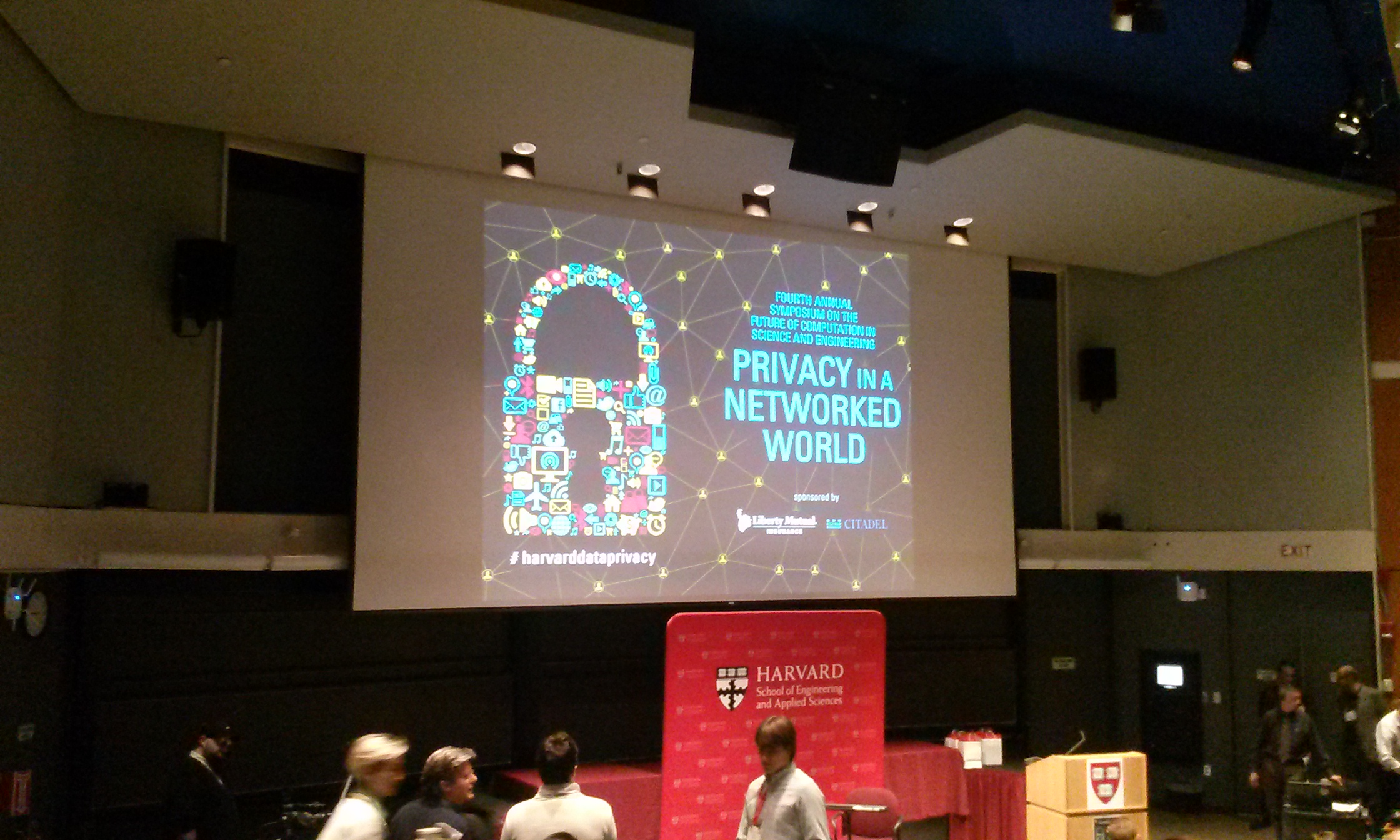
This is the first post about Privacy in a Networked World, the Fourth Annual Symposium on the Future of Computation in Science and Engineering, at Harvard on Friday, January 23.

A Conversation between Bruce Schneier and Edward Snowden (video chat)

Bruce Schneier is a fellow at the Berkman Center for Internet & Society, and the author of Data and Goliath. Edward Snowden was a sysadmin at the NSA who revealed the extent of the government’s mass surveillance. The conversation was recorded (no joke) and is available on YouTube.

I have to say it was an incredibly cool feeling when Snowden popped up on the giant screen and was there in the room with us. There was sustained applause when he first appeared and also at the end of the conversation, when he was waving goodbye. Schneier started by asking Snowden about cryptography: What can and can’t be done? Snowden replied, “Encryption…is one of the few things that we can rely on.” When implemented properly, “encryption does work.” Poor cryptography, either through bad implementation or a weak algorithm, means weak security. End points are also weak spots, even if the data in transit is protected; it’s easier for an attacker to get around crypto than to break it.

Snowden pointed out a shift in the NSA’s focus over the last ten years from defense to offense. He encouraged us to ask Why? Is this proper? Appropriate? Does it benefit or serve the public?

The explosion in “passive” mass surveillance (collecting everything in case it’s needed later) is partly because it’s easy, cheap, and simple. If more data is encrypted, it becomes harder to sweep up, and hackers (including the NSA) who use more “active” techniques run a higher risk of exposure. This “hunger for risk has greatly increased” during the War on Terror era. Their targets are “crazy, unjustified….If they were truly risk averse they wouldn’t be doing this…it’s unlawful.”

Snowden said that the NSA “is completely free from any meaningful judicial oversight…in this environment, a culture of impunity develops.” Schneier said there were two kinds of oversight: tactical oversight within the organization (“did we follow the rules?”) and oversight from outside of the organization (“are these the right rules?”). He asked, “What is moral in our society?”

Snowden asked if the potential intelligence that we gain was worth the potential cost. He stated that reducing trust in the American infrastructure is a costly move; the information sector is crucial to our economy. The decrease in trust, he said, has already cost us more than the NSA’s budget. “They are not representing our interests.”

Schneier, using his NSA voice, said, “Corporations are spying on the whole internet, let’s get ourselves a copy!” (This was much re-tweeted.) “Personal information,” he said, “is the currency by which we buy our internet.” (Remember, if you can’t tell what the product is, you’re the product.) It’s “always amusing,” he said, when Google complains about the government spying on their users, because “it’s our job to spy on our users!” However, Schneier thinks that the attitudes of tech companies and standards bodies are changing.

These silos of information were too rich and interesting for governments to ignore, said Snowden, and there was no cost to scooping up the data because until 2013, “people didn’t realize how badly they were being sold up the river.” Schneier said that research into privacy-preserving technologies might increase now that there is more interest. Can we build a more privacy-preserving network, with less metadata?

“We’ve seen that the arguments for mass surveillance” haven’t really held up; there is little evidence that it has stopped many terrorist attacks. Schneier cited an article from the January 26, 2015 edition of The New Yorker, “The Whole Haystack,” in which author Mattathias Schwartz lists several recent terrorist attacks, and concludes, “In each of these cases, the authorities were not wanting for data. What they failed to do was appreciate the significance of the data they already had.”

Unlike during the Cold War, now “we all use the same stuff”: we can’t attack their networks and defend our networks, because it’s all the same thing. Schneier said, “Every time we hoard a zero-day opportunity [knowing about a security flaw], we’re leaving ourselves vulnerable to attack.”

PrivacyNetworkedWorld

Snowden was a tough act to follow, especially for John DeLong, Director of the Commercial Solutions Center for the NSA, but that’s exactly who spoke next. Stay tuned.


The Official TBR Challenge

2015tbrbutton

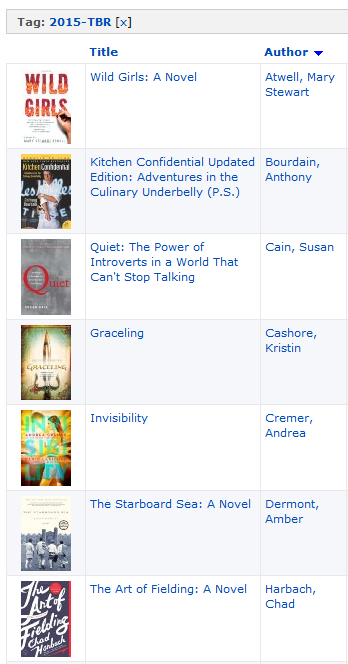
I have officially entered the Official 2015 TBR Pile Challenge. I’ve tagged twelve of the titles on my TBR shelf (plus two books I don’t own but have been meaning to read, The Art of Fielding by Chad Harbach and Graceling by Kristin Cashore) with “2015-TBR” in LibraryThing. Thanks to Linda at Three Good Rats for the nudge to join the official challenge.

2015-TBR2015-TBR2

I hope to read even more books from my TBR shelf this year, but this challenge is a good start. I do like checking things off a list…not that books should ever be reduced to mere list items.

Housecleaning discovery: the Extinction Timeline

madetobreak
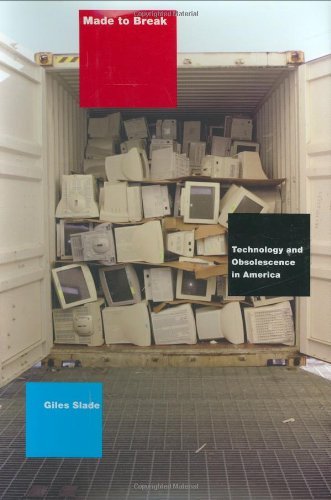
Made to Break by Giles Slade

Back in March 2013, I was trying every avenue to find a timeline of obsolescence I’d seen once during grad school. Even with the help of the Swiss Army Librarian, I came up empty-handed (though we did find a lot of other cool stuff, like the book Made to Break: Technology and Obsolescence in America by Giles Slade).

In the end – nearly two years later, as it happens – it was another book that led me to find the original piece paper I’d had in mind. That book was The Life-Changing Magic of Tidying Up by Marie Kondo (bet you didn’t see that coming, did you?). I’ve spent a good chunk of the past two weeks going through all the things in my apartment – clothes, books, technology, media, and lots and lots of papers – and at last, I found the timeline of obsolescence that I was looking for almost two years ago.

The Life-Changing Magic of Tidying Up by Marie Kondo

Only it isn’t a timeline of obsolescence, exactly; it’s an “extinction* timeline 1950-2050,” and it’s located – I think – in the 2010 book Future Files: A Brief History of the Next 50 Years by Richard Watson. It was created in partnership between What’s Next and the Future Exploration Network; Ross Dawson, founding chairman of the latter, wrote a blog post which includes a PDF of the timeline, “Extinction Timeline: what will disappear from our lives before 2050.”

*Existence insignificant beyond this date

Repair shops – the reason I was looking for this timeline in the first place – apparently went out of fashion (or “significance”) just before 2010, as did mending things, generally. Fortunately, the “predicted death date” for the things on the timeline is “not to be taken too seriously,” and since “a good night’s sleep” is coming under the axe just before 2040, I just have to hope that they’re wrong about that one.

futurefiles
Future Files by Richard Watson

Check out the extinction timeline yourself. Anything strike your interest? Do you agree or disagree with the predictions for the next 35 years? Discuss.

Extinction timeline 1950-2050 (PDF)

Introduction to Cyber Security

FutureLearnThis fall, I enrolled in, and completed, my first first MOOC (massive open online course), Introduction to Cyber Security at the Open University (UK) through their FutureLearn program. I found out about the course almost simultaneously through Cory Doctorow at BoingBoing and the Radical Reference listserv (thanks, Kevin).

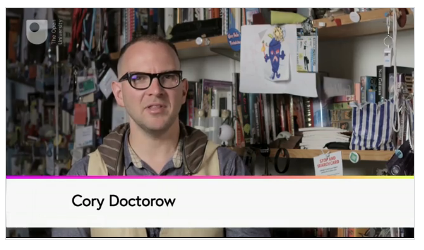
Screen shot from course "trailer," featuring Cory Doctorow
Screen shot from course “trailer,” featuring Cory Doctorow

The free eight-week course started on October 15 and ended on December 5. Each week started with a short video, featuring course guide Cory Doctorow, and the rest of the week’s course materials included short articles and videos. Transcripts of the videos were made available, and other materials were available to download in PDF. Each step of each week included a discussion area, but only some of the steps included specific prompts or assignments to research and comment; facilitators from OU moderated the discussions and occasionally answered questions. Each week ended with a quiz; students had three tries to get each answer, earning successively fewer points for each try.

Week 1: [Security] Threat Landscape: Learn basic techniques for protecting your computers and your online information.
Week 2: Authentication and passwords
Week 3: Malware basics
Week 4: Networking and Communications: How does the Internet work?
Week 5: Cryptography basics
Week 6: Network security and firewalls
Week 7: “When your defenses fail”: What to do when things go wrong
Week 8: Managing and analyzing security risks

The FutureLearn website was incredibly easy to use, with a clean and intuitive design, and each week of the course was broken down into little bite-size chunks so it was easy to do a little bit at a time, or plow through a whole week in one or two sessions. I tended to do most of the work on Thursdays and Fridays, so there were plenty of comments in the discussions by the time I got there.

Anyone can still take the course, so I won’t go too in-depth here, but the following are some tips, facts, and resources I found valuable or noteworthy during the course:

  • Identify your information assets: these include school, work, and personal documents; photos; social media account information and content; e-mail; and more, basically anything you store locally on your computer or in the cloud. What is the value (high/medium/low) of this information to you? What are the relevant threats?
  • Passwords are how we identify ourselves (authentication). Passwords should be memorable, long, and unique (don’t use the same password for different sites or accounts). Password managers such as LastPass or KeyPass can help, but that is placing a lot of trust in them. Password managers should: require a password, lock up if inactive, be encrypted, and use 2-factor authentication.
  • Use 2-factor authentication whenever it is available.
  • 85% of all e-mail sent in 2011 was spam.
  • Anti-virus software uses two techniques: signatures (distinctive patterns of data) and heuristics (rules based on previous knowledge about known viruses).
  • The Sophos “Threatsaurus” provides an “A-Z of computer and data security threats” in plain English.
  • The Internet is “a network of networks.” Protocols (e.g. TCP/IP) are conventions for communication between computers. All computers understand the same protocols, even in different networks.
  • Wireless networks are exposed to risks to Confidentiality, Integrity, and Availability (CIA); thus, encryption is necessary. The best option currently is Wireless Protected Access (WPA2).
  • The Domain Name Server (DNS) translates URLs to IP addresses.
  • Any data that can be represented in binary format can be encrypted by a computer.
  • Symmetric encryption: 2 copies of 1 shared key. But how to transmit the shared key safely? Asymmetric encryption (a.k.a. public key cryptography) uses two keys and the Diffie-Hellman key exchange. (The video to explain this was very helpful.)
  • Pretty Good Privacy (PGP) is a collection of crypto techniques. In the course, we sent and received encrypted e-mail with Mailvelope.
  • Transport Layer Security (TLS) has replaced Secure Sockets Layer (SSL) as the standard crypto protocol to provide communication security over the Internet.
  • Firewalls block dangerous information/communications from spreading across networks. A personal firewall protects the computer it’s installed on.
  • Virtual Private Networks (VPNs) allow a secure connection across an untrusted network. VPNs use hashes, digital signatures, and message authentication codes (MACs).
  • Data loss is often due to “insider attacks”; these make up 36-37% of information security breaches.
  • Data is the representation of information (meaning).
  • The eight principles of the Data Protection Act (UK). Much of the information about legislation in Week 7 was specific to the UK, including the Computer Misuse Act (1990), the Regulation of Investigatory Powers Act (2000), and the Fraud Act (2006).
  • File permissions may be set to write (allows editing), read (allows copying), and execute (run program).
  • Use a likelihood-impact matrix to analyze risk: protect high-impact, high-likelihood data like e-mail, passwords, and online banking data.

Now that I’ve gained an increased awareness of cyber security, what’s changed? Partly due to this course and partly thanks to earlier articles, conference sessions, and workshops, here are the tools I use now:

See also this excellent list of privacy tools from the Watertown Free Library. Privacy/security is one of those topics you can’t just learn about once and be done; it’s a constant effort to keep up. But as more and more of our data becomes electronic, it’s essential that we keep tabs on threats and do our best to protect our online privacy.

NELA 2014: Consent of the Networked

Cross-posted on the NELA conference blog.

Intellectual Freedom Committee (IFC) Keynote: Consent of the Networked: The Worldwide Struggle for Internet Freedom, Rebecca MacKinnon (Monday, 8:30am)

MacKinnon pointed to many excellent resources during her presentation (see links below), but I’ll try to summarize a few of her key points. MacKinnon observed that “technology doesn’t obey borders.” Google and Facebook are the two most popular sites in the world, not just in the U.S., and technology companies affect citizen relationships with their governments. While technology may be a liberating force (as envisioned in Apple’s 1984 Superbowl commercial), companies also can and do censor content, and governments around the world are abusing their access to data.

“There are a lot of questions that people need to know to ask and they don’t automatically know to ask.”

MacKinnon noted that our assumption is that of a trend toward democracy, but in fact, some democracies may be sliding back toward authoritarianism: “If we’re not careful, our freedom can be eroded.” We need a global movement for digital rights, the way we need a global movement to act on climate change. If change is going to happen, it must be through an alliance of civil society (citizens, activists), companies, and politicians and policymakers. Why should companies care about digital rights? “They are afraid of becoming the next Friendster.” The work of a generation, MacKinnon said, is this: legislation, accountability, transparency, and building technology that is compatible with human rights.

It sounds overwhelming, but “everybody can start where they are.” To increase your awareness, check out a few of these links:


Usability and Visibility

Last fall I wrote about Google’s redesign (which actually increased the number of clicks it took to get something done). Sure, it’s a “cleaner, simpler” look, but how did it get cleaner and simpler? To put it plainly: they hid stuff.

For those who are continually riding the breaking wave of technology, these little redesigns cause a few moments of confusion or annoyance at worst, but for those who are rather more at sea to begin with, they’re a tremendous stumbling block.

Today in the library, I helped an 80-year-old woman access her brand-new Gmail account. She signed on to one of the library computers with her library card – no problem there. Then she stared at the desktop for a while, so I explained that she could use one of three browsers – Chrome, Firefox, or Internet Explorer – to access the Internet. “Don’t confuse me with choices, just tell me what to do. Which one do you like?” she asked.

I suggested Firefox, and she opened the browser. The home screen is set to the familiar Google logo and search bar, surrounded by white space. I pointed up to the corner and told her to click on Gmail:

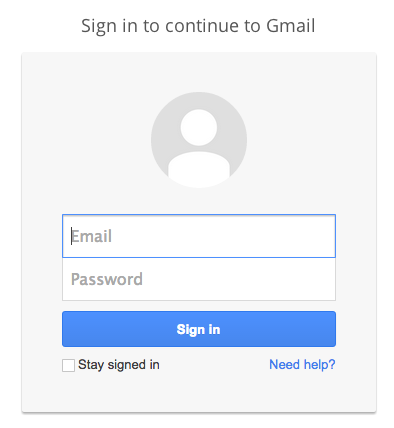
Screen shot 2014-09-02 at 7.44.07 PMThen came the sign-in screen, asking for email and password; at least the “sign in” button is obvious.

Screen shot 2014-09-02 at 7.48.45 PMNext, we encountered a step that asked her if she wanted to confirm her account by getting a mobile alert. I explained that she could skip this step, but she clicked on it anyway, then got frustrated when her inbox didn’t appear.

Now, here’s something that anyone who has ever put up any kind of signage probably knows: People don’t read signs. They don’t read instructions. Good design takes this into account; as Don Norman (The Design of Everyday Things) says, “Design is really an act of communication.” Good design communicates with a minimum of words and instructions.

In this case, I canceled the prompt for her and we got to her inbox. I showed her that she had three e-mails – informational, “welcome” e-mails from Gmail itself – and upon seeing she had no mail, she wanted to sign out. “Do I just click the X?” she asked, moving the mouse up to the upper right hand corner of the program. I explained that clicking the red X would close the browser, but that she should sign out of Gmail first (even though the library computers wipe out any saved information between patrons).

But is there a nice big button that says “Sign out”? No, there is not. Instead, there’s this:

Screen shot 2014-09-02 at 8.01.12 PMHow on earth would a new user know to click on that to sign out? She wouldn’t. And the thing about new users (very young ones excepted, usually) is that they don’t want to go around clicking on random things, because they’re afraid they will break something, or make a mistake they can’t correct or backtrack from.

I think the above scenario will be familiar to anyone who works in a public library, not to mention anyone who has tried to help a parent or a grandparent with a computer question. It’s easy to get frustrated with the user, but more often than not the blame really rests with the designer – and yet it’s not the designers who are made to feel stupid for “not getting it” or making mistakes.

And it isn’t just beginning users who run into these problems. Sometimes it seems as though designers are changing things around just for the sake of change, without making any real improvements. Examples spring to mind:

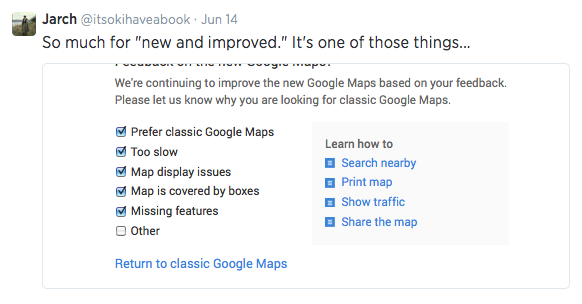
Think the latest “upgrade” to Google Maps. If there are checkboxes for all the things you already know are problems, why push the new version?

Screen shot 2014-09-02 at 8.25.28 PM

Even Twitter, which is usually pretty good about these things (and which got stars across the board in the EFF’s most recent privacy report, “Who Has Your Back?: Protecting Your Data From Government Requests”), is not immune to the making-changes-for-no-reason trend:

Screen shot 2014-09-02 at 8.18.00 PM

But perhaps the most notorious offender of all is iTunes:

Screen shot 2014-09-02 at 8.21.11 PM

Screen shot 2014-09-02 at 8.17.07 PM

To quote Don Norman (again), “Once a satisfactory product has been achieved, further change may be counterproductive, especially if the product is successful. You have to know when to stop.

To this end, I would suggest to all designers and front-end developers: please, run some user testing before you make changes, or as you’re creating a new design. Get just five people to do a few tasks. See where they get confused and frustrated, see where they make mistakes. Remember (Norman again), “Designers are not typical users. Designers often think of themselves as typical users…[but] the individual is in no position to discover all the relevant factors. There is no substitute for interaction with and study of actual users of a proposed design.

Edited to add: WordPress isn’t immune, either.

Screen shot 2014-09-02 at 8.41.47 PM

Is it “easier”? Is it “improved”? How so? I’m OK with the way it is now, thanks…but soon I’m sure I won’t have a choice about switching over to the new, “easier,” “improved” way.

MLA Conference 2014, Day One (Wednesday), Part One

It’s that time again! This year, the Massachusetts Library Association conference is in Worcester, and once again the lovely and gracious Friends of the Library enabled some of our library staff (myself included) to attend. Here’s my round-up of the first three sessions I went to today, with more to come. Several conference-goers are also on Twitter (#masslib14).

Brand New You: How Libraries Use Branding to Establish Relevance and Engage Users

Anna Popp from the Massachusetts Library System presented on MLS’ experience developing their brand with Walter Briggs of Briggs Advertising. Popp convened a task force and established a clear decision-making protocol (essential, according to Briggs). Popp and Briggs explained that an organization’s brand is evolutionary, not visionary; it’s not the same as its vision or mission statement (‘it’s not what you aim to be, it’s what you are’).

MLS logoThe process involved brainstorming everything about the organization, then crossing out everything that wasn’t unique, with the goal of distilling it down to 3-5 words or phrases – the “brand mantra.” The brand mantra is an internal tool, and is not the same thing as a tagline (e.g., Nike’s brand mantra is “Authentic Athletic Performance,” not “Just Do It.”) MLS came up with “Uniting, Empowering, Library Enhancement.” The brand mantra is “the most important deliverable” from the branding process, more important even than the logo (at left). The logo’s job is not to show or tell what an organization does.

The tagline should be “evocative, inspiring, brief, lyrical” and have “integrity.” The (awesome) MLS tagline is “Stronger together,” which perfectly suits an organization dedicated to building a statewide community of libraries, empowering those libraries, and championing resource sharing.

Briggs finished the presentation by sharing some of his past work. I especially loved the Patten Free Library tagline, “More than you’ll ever know,” and the tangram-like logos (below) for the Curtis Memorial Library (both libraries are in Maine).

CurtisMemorialLibrary logoCurtisMemorialTeenCurtisMemorialKids


The takeaways from this session included: (1) Recognize what people bring to the table, (2) Establish role clarity – who will have an advisory role, who will have a decision-making role?, (3) Let people do their jobs, help when necessary, (4) Prepare to learn something about yourself, (5) Plan ahead, but be prepared for eventualities and opportunities. It may be hard to prove the ROI on a logo, but Popp mentioned the idea of “mindshare”: “in marketing, repetition wins.” Establish your relevance and constantly reaffirm it.

An Agenda for Information Activism: Internet Freedom and Press Freedom Today

Kevin Gallagher stepped up here in place of the original presenter, Josh Stearns, formerly of Free Press. Gallagher clearly knew his stuff, particularly the threat that government mass surveillance poses to journalists and society at large, and he did a good job on short notice. He wasn’t the most comfortable speaker, and his presentation jumped around a little bit; the audience wasn’t all familiar with some of the terms he used or the services he referenced. The presentation had no handouts or visual component (other than the trailer for the upcoming Aaron Schwartz documentary, The Internet’s Own Boy). However, privacy is something librarians care deeply about, and this program took a step toward convincing us all to do more research for ourselves, and think about what we can offer patrons, both in terms of tools and education. Here are a few points and links from the session (thanks also to Alison Macrina of Watertown Free Public Library):

  • When the government undermines and weakens Internet security standards for the purposes of surveillance and data-gathering, it makes us all less safe, not more.
  • There are library privacy laws in 48 states and the District of Columbia. Patron privacy and confidentiality is essential for the free pursuit of knowledge.
  • If the government can collect metadata on journalists’ communications, that exposes journalists’ sources, whose confidentiality should be protected.
  • Read the full text of the Guerilla Open Access Manifesto by Aaron Schwartz on the Internet Archive.
  • “There is already a war” against whistleblowers, journalists, and activists (examples: Julian Assange, Jeremy Hammond, Edward Snowden, Barrett Brown, Jim Risen).
  • “We need a new Church Committee.”
  • Government agencies and private companies are collecting personal data and metadata. Be aware of what personal data private companies are collecting, and what permissions you are giving when you use services like facebook. See Terms of Service; Didn’t Read.
  • Use search engines that value privacy, like DuckDuckGo, or use plugins like Ghostery or services like Disconnect.me. Install Tails, an operating system that lets you use the Internet anonymously via TOR.
  • What can we (in libraries) do? Use more privacy and security tools (like https everywhere from the EFF). Use free and open software instead of proprietary software (“There’s a free and open alternative to everything”). Make sure patron privacy policies are up to date, and make sure we aren’t collecting any more patron information than necessary. If libraries are receiving federal funds that force compliance with CIPA, make sure you aren’t filtering any more than you have to – or, if possible, don’t accept the strings-attached funds. Host a “crypto party.” Support the USA Freedom Act, make FOIA requests. Remember the Library Bill of Rights.

How We Doin’?: Public Libraries Using LibSat to Gather Patron Feedback

The Los Angeles Public Library uses LibStat.

The Massachusetts Board of Library Commissioners (MBLC) is providing LibSat from Counting Opinions to all Massachusetts libraries for a three-year term. All library directors have the login information, and can pass it on to any of their staff. From what we saw in this session, LibSat is a pretty incredible tool to gather continuous patron feedback about their library experience; data nerds in the room were audibly delighted.

This session began with the proverb “A guest sees more in an hour than the host sees in a year.” Patron feedback is valuable to libraries, offering reminders of how much people appreciate library services and staff as well as presenting opportunities for improvement; patrons who rate the library’s importance as high but their satisfaction with the library as low direct attention to areas for improvement.

LibSat offers patrons a choice of a short survey (3-5 minutes), a regular survey (5-7 minutes), and an in-depth survey (~15 minutes). Other than possible survey fatigue, there’s really no reason MA libraries shouldn’t be using this tool. The results could really come in handy when it’s time to prepare those annual reports…

Next up:

Working with and Managing Multigenerational Staff/People

Building Intergenerational Collaboration & Programs: Serving People of Different Ages

Last year’s (rather long) MLA posts:

4/24/13: Teaching Technology to Patrons and Staff & Afraid to Advocate? Get Over It! & Library Services and the Future of the Catalog: Lessons from Recent ILS Upgrades & Loaning E-Readers to the Public: Legal and Strategic Challenges

4/25/13: On Life Support, But Not Dead Yet!: Revitalizing Reference for the 21st Century & Authors, Authors, Authors!: Three Local Authors Strut Their Stuff & Analyze Your Collection & Print and Digital Publishing: How Are Publishers, Editors, and Authors Adapting.

Yearly wrap-up, 2013 edition

In the spirit of those sites that do a weekly wrap-up (like Dooce’s “Stuff I found while looking around” and The Bloggess’ “Sh*t I did when I wasn’t here”), here are a few odds and ends I found while going through my work e-mail inbox and my drafts folder.

How to Search: “How to Use Google Search More Effectively” is a fantastic infographic that will teach you at least one new trick, if not several. It was developed for college students, but most of the content applies to everyday Google-users. Google has its own Tips & Tricks section as well, which is probably updated to reflect changes and new features.

How to Take Care of Your Books: “Dos and Don’ts for Taking Care of Your Personal Books at Home” is a great article by Shelly Smith, the New York Public Library’s Head of Conservation Treatment. Smith recommends shelving your books upright, keeping them out of direct sunlight and extreme temperatures, and dusting. (Sigh. Yes, dusting.)

The ARPANET Dialogues: “In the period between 1975 and 1979, the Agency convened a rare series of conversations between an eccentric cast of characters representing a wide range of perspectives within the contemporary social, political and cultural milieu. The ARPANET Dialogues is a serial document which archives these conversations.” The “eccentric cast of characters” includes Ronald Reagan, Edward Said, Jane Fonda, Jim Henson, Ayn Rand, and Yoko Ono, among others. A gem of Internet history.

All About ARCs: Some librarians over at Stacked developed a survey about how librarians, bloggers, teachers, and booksellers use Advance Reader Copies (ARCs). There were 474 responses to the survey, and the authors summarized and analyzed the results beautifully. I read a lot of ARCs, both in print and through NetGalley or Edelweiss, and I was surprised to learn the extent of the changes between the ARC stage and the finished book; I had assumed changes were copy-level ones, not substantial content-level ones, but sometimes they are. (I also miss the dedication and acknowledgements.)

E-books vs. Print books: There were, at a conservative estimate, approximately a zillion articles and blog posts this year about e-books, but I especially liked this one from The Guardian, “Why ebooks are a different genre from print.” Stuart Kelly wrote, “There are two aspects to the ebook that seem to me profoundly to alter the relationship between the reader and the text. With the book, the reader’s relationship to the text is private, and the book is continuous over space, time and reader. Neither of these propositions is necessarily the case with the ebook.” He continued, “The printed book…is astonishingly stable over time, place and reader….The book, seen this way, is a radically egalitarian proposition compared to the ebook. The book treats every reader the same way.”

On (used) bookselling: This has been languishing in my drafts folder for nearly two years now. A somewhat tongue-in-cheek but not overly snarky list, “25 Things I Learned From Opening a Bookstore” includes such amusing lessons as “If someone comes in and asks for a recommendation and you ask for the name of a book that they liked and they can’t think of one, the person is not really a reader.  Recommend Nicholas Sparks.” Good for librarians as well as booksellers (though I’d hesitate to recommend Sparks).

The-Library-Book-154x250_largeOn Libraries: Along the same lines, I really enjoyed Lucy Mangan’s essay “The Rules” in The Library Book. Mangan’s “rules” are those she would enforce in her own personal library, and they include: (2) Silence is to be maintained at all times. For younger patrons, “silence” is an ancient tradition, dating from pre-digital times. It means “the absence of sound.” Sound includes talking. (3) I will provide tea and coffee at cost price, the descriptive terms for which will be limited to “black,” “white,” “no/one/two/three sugars” and “cup.” Anyone who asks for a latte, cappuccino or anything herbal anything will be taken outside and killed. Silently.

On Weeding: It’s a truth often unacknowledged that libraries possessed of many books must be in want of space to put them – or must decide to get rid of some. Julie Goldberg wrote an excellent essay on this topic, “I Can’t Believe You’re Throwing Out Books!” I also wrote a piece for the local paper, in which I explain the “culling” of our collection (not my choice of headline).

“What We Talk About When We Talk About Public Libraries”: In an essay for In the Library with the Lead Pipe, Australian Hugh Rundle wrote about the lack of incentives for public librarians to do research to test whether public libraries are achieving their desired outcomes.

Public Journalism, Private Platforms: Dan Gillmor questions how much journalists know about security, and how much control they have over their content once it’s published online. (Article by Caroline O’Donovan at Nieman Journalism Lab)